

Instructions are available in all plans.
What are instructions?
Instructions tell your AI Agent how to use the knowledge it has. They act as a set of rules and examples that guide behavior, from how to greet a customer to how to answer a specific type of question. You can use Instructions to:- Define tone and communication style
- Clarify how and when to use specific knowledge
- Add basic knowledge if you’re not using Sources (like Websites or Files)
Using Instructions as Knowledge
If you’re not using other Sources such as document scraping or web crawling, you can also add knowledge directly into Instructions. For example, you can copy and paste information from your website, help articles, or internal documentation. The AI Agent will then use this information to generate answers, just as it would with other sources.Setting Up Instructions
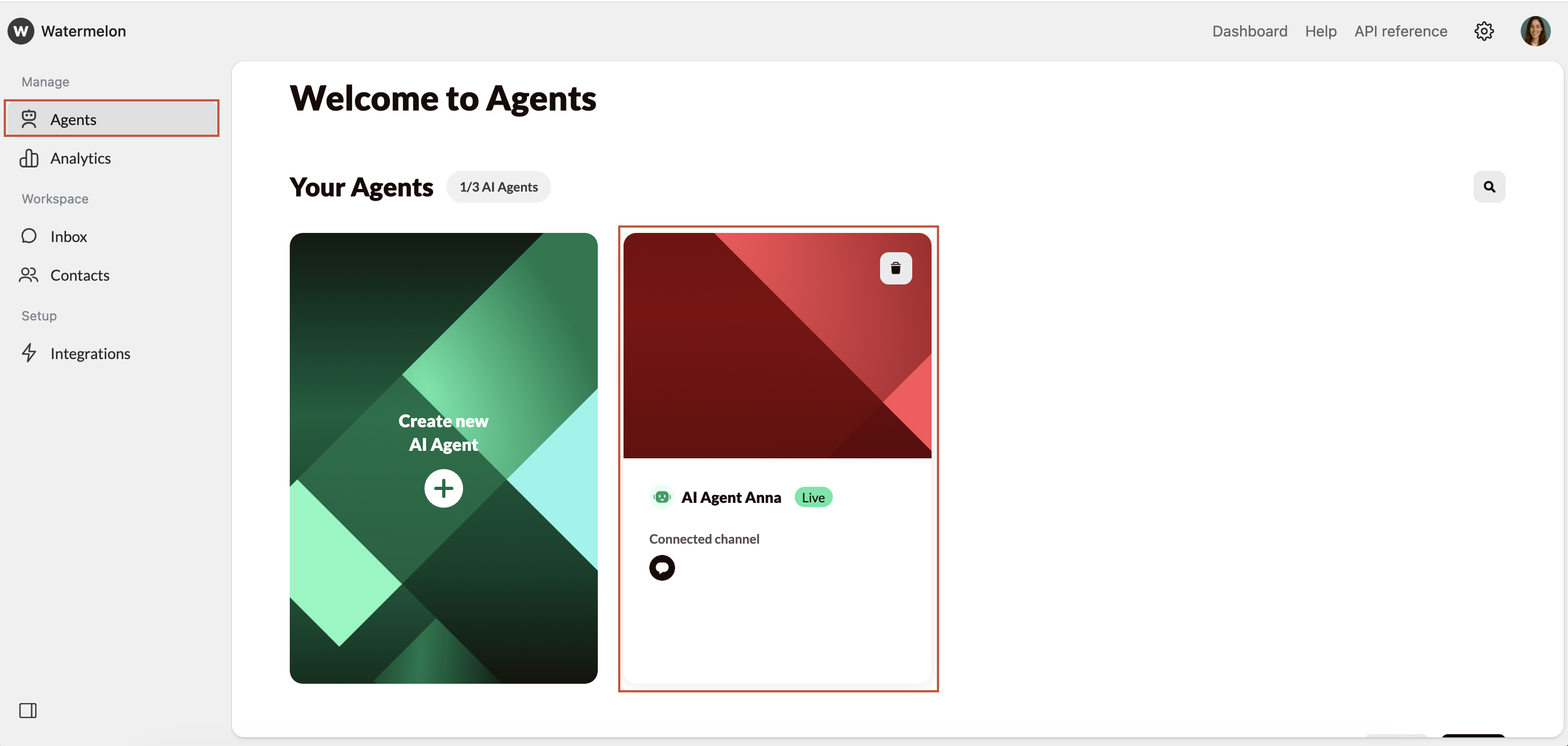
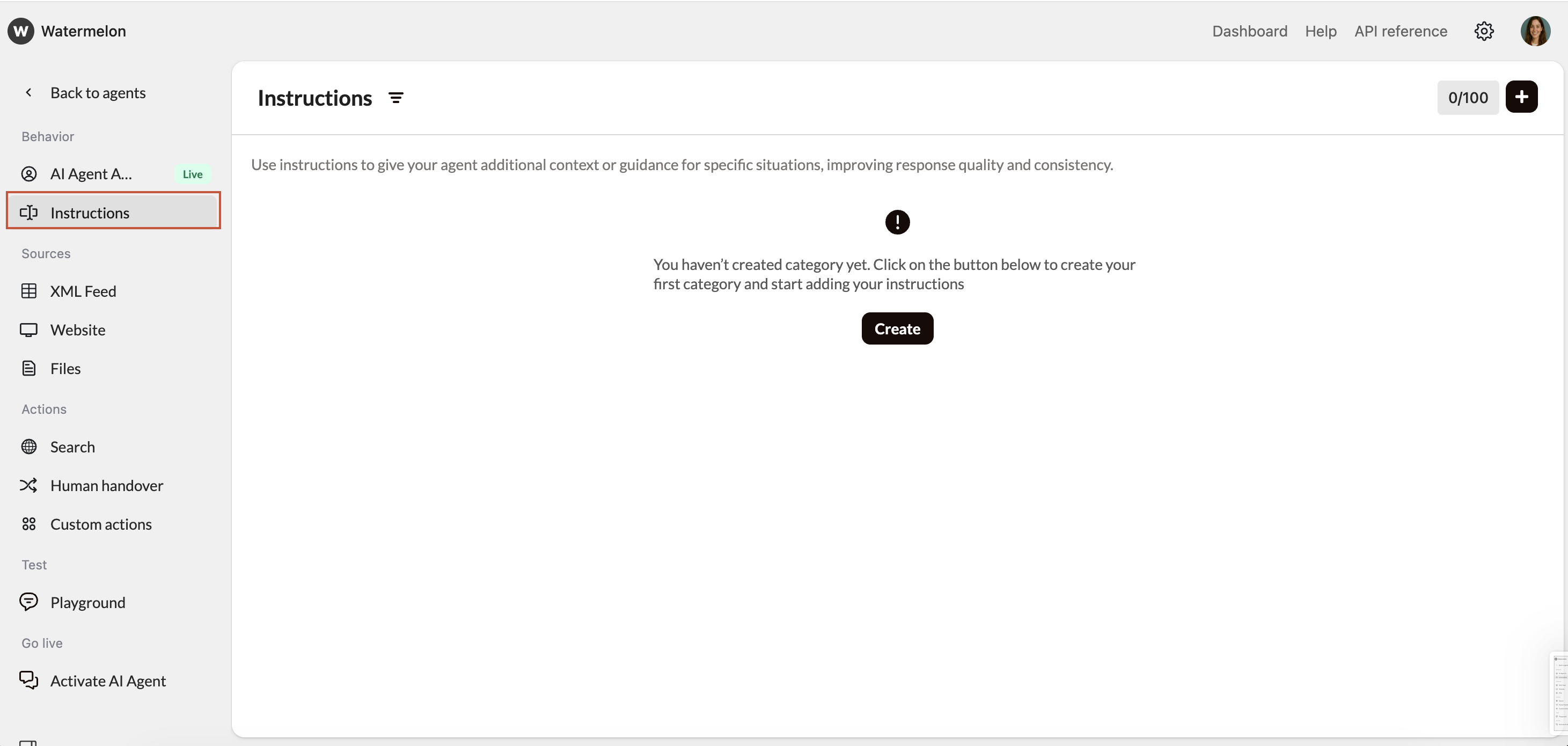
Organize Instructions by Category
Categories help you organize your Instructions for easier management.Click Create or the + icon in the upper-right corner to add new categories. Name your category.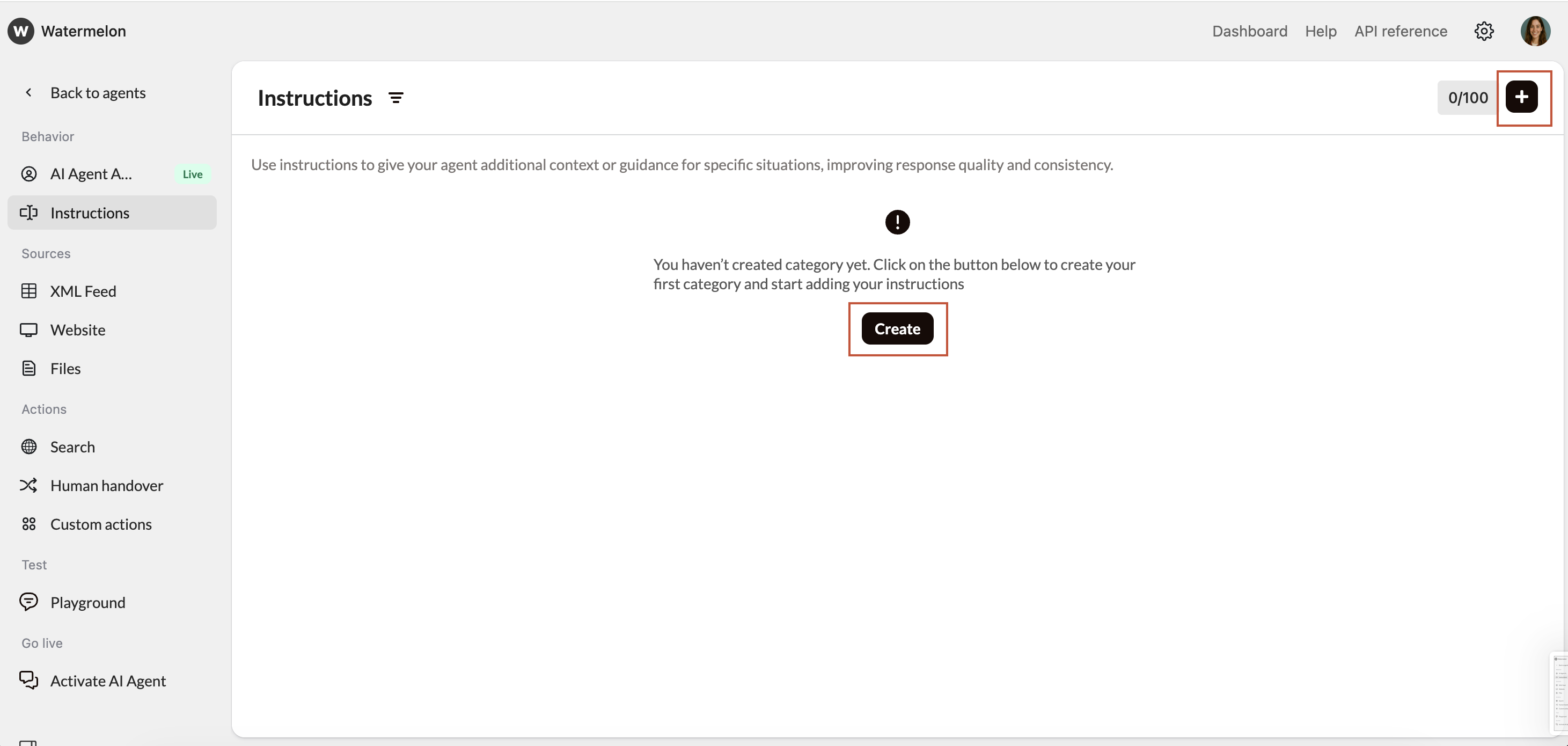
The AI Agent doesn’t use the category names or order when generating responses — they’re just for your internal overview.
Write Effective Instructions
Be as specific and actionable as possible. Each Instruction should describe:Avoid general statements — the more context you give, the more accurately your AI Agent will respond.
- The situation the AI Agent may encounter.
- The expected behavior or response.
Example: “When a customer asks about their order status, tell them to check the track-and-trace link in their order confirmation email.”
Test and Refine
After adding your Instructions, use the Playground to check how your AI Agent responds.If a response isn’t quite right:
- Refine the existing Instruction rather than adding new ones.
- Avoid creating multiple similar Instructions for the same topic, as this can cause overlap or confusion.
Monitor and Improve
Once your AI Agent is live, continue reviewing its responses.If you notice unclear or inconsistent answers, use real conversations as examples to refine your Instructions.Regular updates to the instructions keep your AI Agent relevant, accurate, and aligned with your company’s policies.
Best Practice
- Keep Instructions short and clear, one scenario per Instruction.
- Avoid duplicates or overlapping guidance.
- Match your company’s tone of voice.
- Use real customer phrasing when possible to improve recognition.
- Test and adjust regularly.