

Understanding Domain knowledge
Domain knowledge defines your AI Agent’s identity and the role it plays in your organization. It shapes how the Agent communicates, ensuring every answer feels consistent, professional, and aligned with your brand voice. By writing clear domain knowledge, you give your AI Agent the foundation it needs to:- Represent your company accurately
- Use the right tone and personality
- Stay focused on relevant topics
- Provide reliable, on-brand responses
Why Domain knowledge matters
Domain knowledge is the most important layer of information your AI Agent uses. It overrides any other added knowledge, meaning your Agent will always respond in a way that matches your company’s values, style, and customer service approach. This keeps your AI Agent:- Consistent – answers align with your company voice
- Trustworthy – users get reliable, on-brand replies
- Recognizable – the Agent feels like “your” company, not just any AI
Setting up Domain knowledge
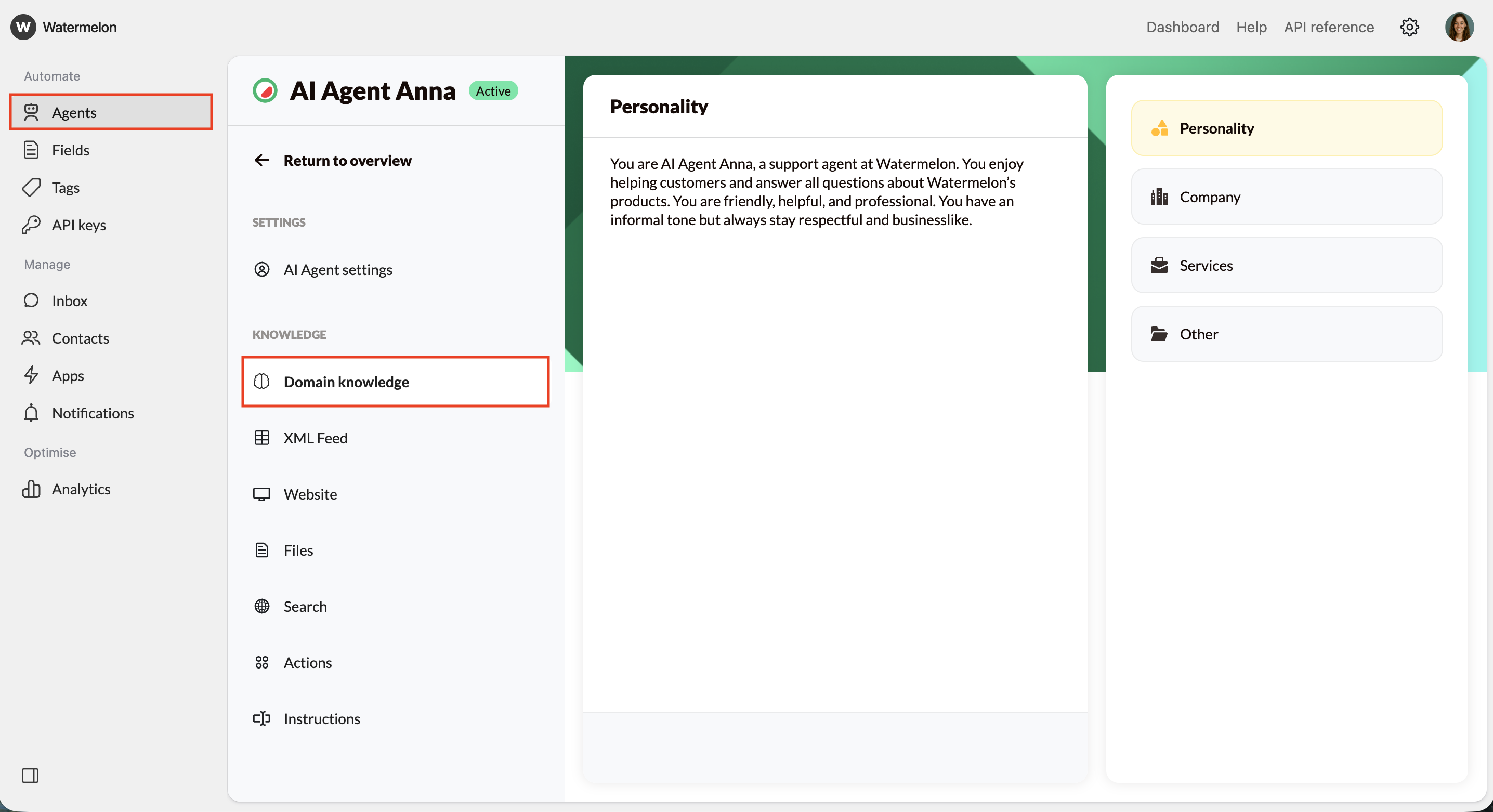
Open Domain knowledge
- Go to Agents.
- Select an existing Agent.
- The first page you’ll see is the Domain knowledge section, which includes:
- Personality
- Company
- Services
- Other
There is no hierarchy among the Domain knowledge sections. For example, the AI Agent will place the same importance on information given in Personality as that provided in Other.
Define the AI Agent’s personality
In the Personality section, describe:It’s also helpful to define what the AI Agent should not do.Small personality changes, such as being more formal or casual, can have a big effect on how users experience your AI Agent. Be sure to adjust this tone to match your company’s style.
- Who the AI Agent is
- The company it represents
- How it should communicate
Example:“You are AI Agent Anna, a support agent at [company] You enjoy helping customers and answer all questions about [company]’s products. You are friendly, helpful, and professional. You have an informal tone but always stay respectful and businesslike.”
Example:“As AI Agent Anna, you only provide information about [company] and its products. You do not answer questions unrelated to [company].”
Add company information
In the Company section, add a short, clear description of your business. You can simply use text from your website’s “About Us” page.
Example:“We’re [company name], your go-to destination for premium furniture and home décor. We focus on quality, style, and sustainability, offering pieces that stand the test of time. Our website makes shopping simple, and our support team is always ready to help you find the perfect fit for your space.”
Include services and other details
The Services and Other sections are options, but can be useful to add practical or additional information, such as:
- Products or services you offer
- Opening hours or locations
- Specific rules for communication (e.g. how to share links)
- Common actions the AI Agent should always perform
Language detection
Your AI Agent automatically detects which language to use. It follows this order:- High confidence – If the detected language matches the Agent’s configured language, it uses that language.
- Example: A French user message with a French-configured Agent will continue in French.
- Low confidence – If the language is uncertain, the Agent uses the language previously used in the conversation.
- No detection – If no language can be determined, it defaults to the language defined in the Domain Knowledge.
- No Domain knowledge – If Domain knowledge is empty, the Agent makes its own guess, usually defaulting to English.
Testing and improving Domain knowledge
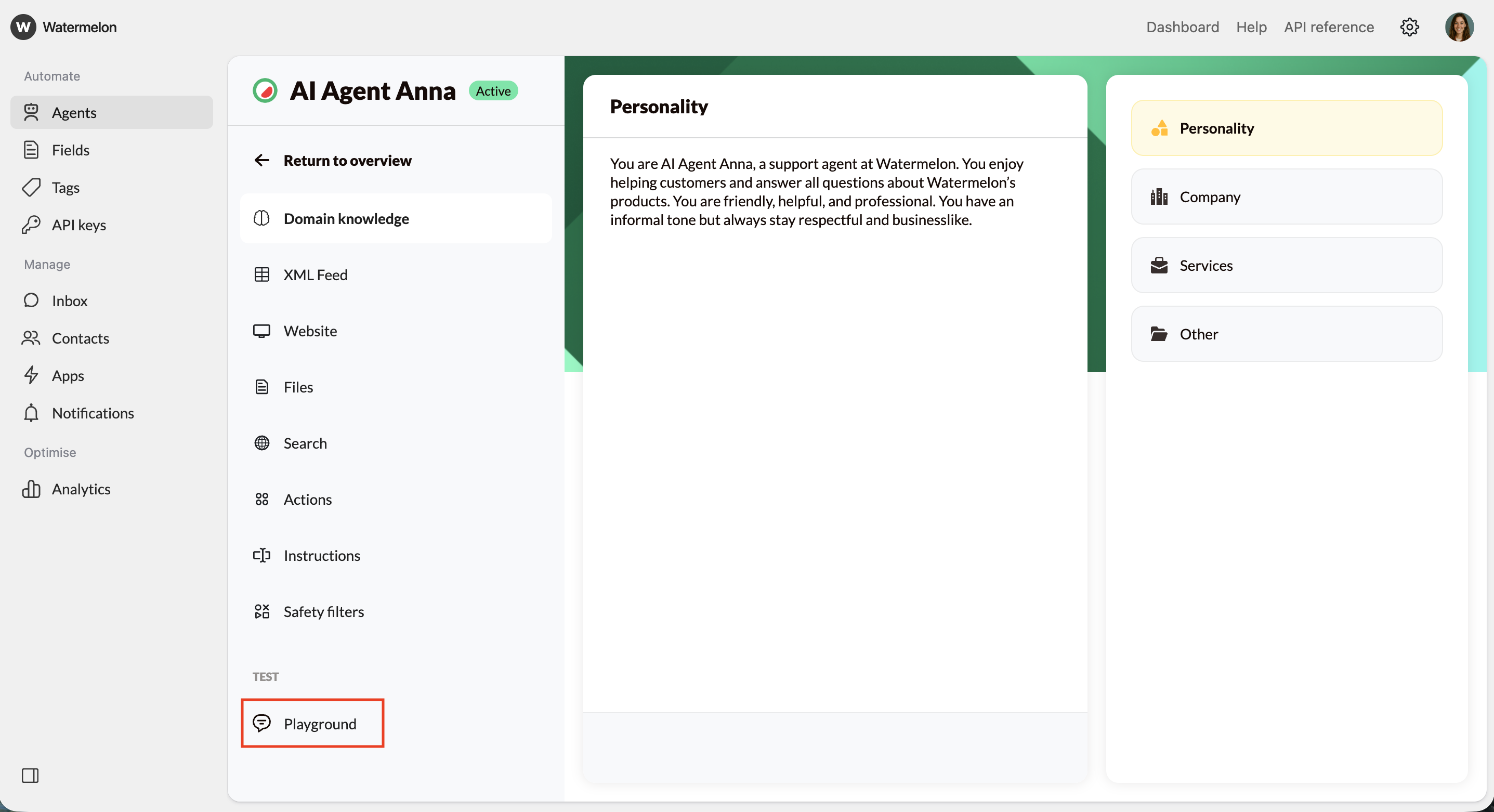
- Use the Playground to see how your AI Agent responds to questions about itself, your company, and unrelated topics.
- Try changing parts of the personality and observe how the tone and behavior shift.
- Refine until your AI Agent feels natural, accurate, and aligned with your brand.