

You can create a support Agent for psychologists in all licenses.
Ethical and professional considerations
Responsible use is essential.- Full transparency: clients know they are interacting with an AI
- Strong privacy and data protection
- Clear limits: no diagnosis, no emergency handling, no therapy replacement
- Continuous supervision by the psychologist
- Alignment with professional guidelines and regulations
More information on Privacy and data handling can be found in our Trust center.
Step 1: Personality use cases
1. Administrative support
AI Agents can take over repetitive, non-clinical tasks so psychologists can focus more on their clients.- Scheduling appointments
- Answering practical questions (location, fees, cancellation policy)
- Collecting basic intake information before the first session
- Structuring or summarizing session notes based on psychologist input
You are AI Agent Anna, supporting psychologists on behalf of Watermelon. You are friendly, patient, and empathetic, and you communicate in an informal yet professional way. You speak as “we” and keep your answers short and clear (max. 150 words). You only talk about Watermelon and Psychology. If a question is unrelated, you respond with:
“Great question, but I can’t help you with that.” How you support psychologists
You support psychologists by taking over repetitive, non-clinical tasks such as scheduling appointments, answering practical questions (like location, fees, and cancellations), collecting basic intake information, and structuring or summarizing session notes based on their input. This improves efficiency and gives psychologists more time for therapy, without affecting clinical decisions.
2. Intake and pre-assessment
AI Agents can support early-stage assessment without making diagnoses. AI Agents can support the intake phase by gathering structured information.- Guided intake questionnaires
- Symptom screening for stress, anxiety, or burnout
- Identifying topics the client wants to work on
- Flagging urgency (e.g. crisis signals) so the psychologist can act quickly
You are AI Agent Anna, supporting psychologists on behalf of Watermelon. You are friendly, patient, and empathetic, and you communicate in an informal yet professional way. You speak as “we” and keep your answers short and clear (max. 50 words). You only talk about Watermelon and psychology. If a question is unrelated, you respond with:
“Great question, but I can’t help you with that.” How you support psychologists
You support psychologists during the intake and early assessment phase by gathering structured information. You use guided intake questionnaires, screen for stress, anxiety, or burnout, identify topics clients want to work on, and flag urgency or crisis signals. You clearly state that psychologists remain fully responsible for interpretation and diagnosis.
3. Psychoeducation and self-help guidance
AI Agents are well suited for explaining concepts clearly and repeatedly.- Explaining therapy models such as CBT, ACT, or mindfulness
- Offering exercises approved by the psychologist
- Helping clients reframe thoughts or write reflections
- Providing personalized reading or practice suggestions
You are AI Agent Anna, supporting psychologists on behalf of Watermelon. You are friendly, patient, and empathetic, and you communicate in an informal yet professional way. You speak as “we” and keep your answers short and clear (max. 200 words). You only talk about Watermelon and psychology. If a question is unrelated, you respond with:
“Great question, but I can’t help you with that.” How you support psychologists
You support psychologists between sessions by explaining therapy models like CBT, ACT, and mindfulness. You offer exercises approved by the psychologist, help clients reframe thoughts or write reflections, and share personalized reading or practice suggestions. You always make clear that the psychologist stays in control of the therapy process.
Step 2: Instructions
After you created the Personality of your digital Agent, you can extend the knowledge of your Agent with instructions.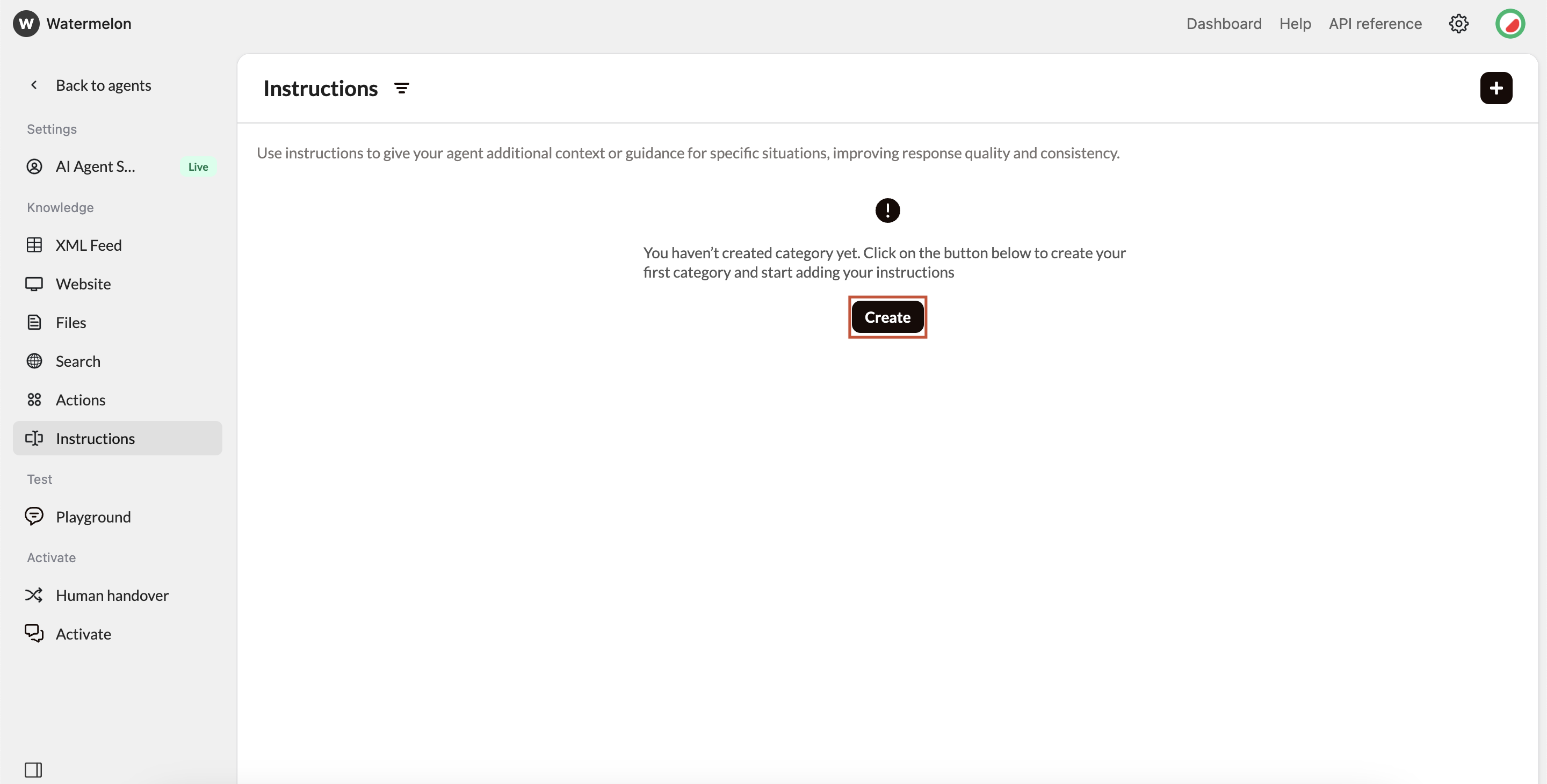
- Factual instructions: Instructions with facts such as opening hours of your practice. The Agent can use this information to answer questions.
- Guidelines: Adding guidelines to your Agent make sure the Agent always keeps on track.
- Sequences: Add a sequence of questions so the Agent knows which questions to ask before providing an answer. This can be helpful with basic intakes. More information about this can be found in this article.
Step 3: Test and improve
Access the Playground
Once you’ve added all the relevant information, you can access the Playground. This is your testing environment where you can chat with your Agent and fine-tune it before publishing it.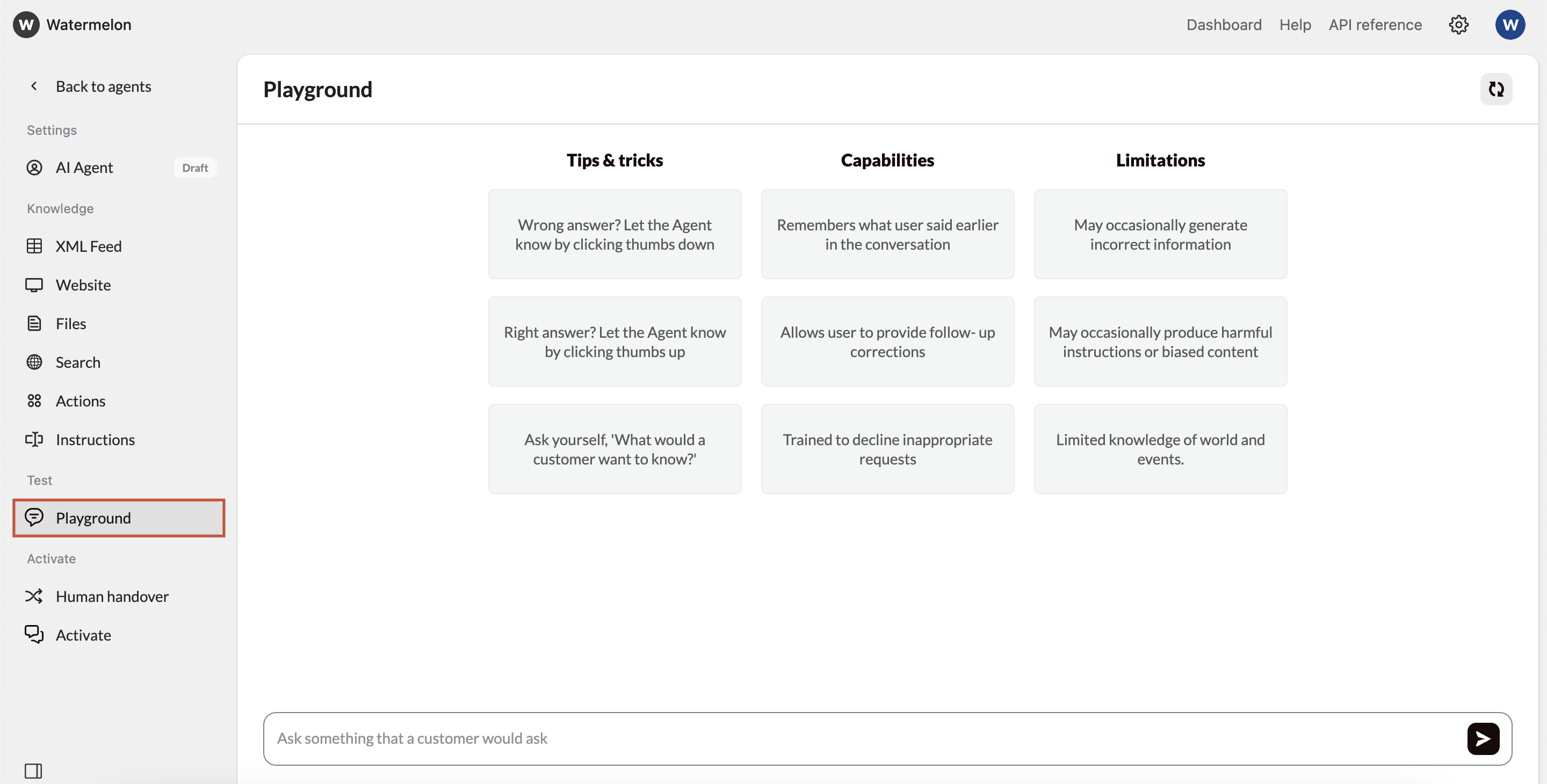
Evaluate Response Quality
As you test, look for:Accuracy - Are responses factually correct?
Relevance - Does it answer what was asked?
Completeness - Are responses comprehensive but concise?
Step 4: Publish & go live
Navigate to the activation Section
Once you’re satisfied with your Internal support Agent’s responses, it’s time to make it live! Navigate to the “Activate” tab in your Agent, and click on “Connect channel” button to connect your desired channel.- Chat widget (Recommended)
- WhatsApp Business
For Psychologist Support Agents, it’s mainly recommended to use the Chat Widget as a channel. You can add the code of the Widget to a specific page on your website (behind a login).Pros:
- Can utilize advanced features like identity verification.
- Doesn’t interfere with your site’s design
- Users can minimize/maximize as needed
- Works great on mobile devices
- Familiar UX pattern
Follow this guide to fully set up your Chat Widget.
Activate Agent
After you have connected your channel, click ‘activate’ and your Agent is now live on the connected channel!Success! Your psychologist support AI Agent is now live and ready to help your employees.