

What can this Agent do?
An Internal support AI Agent is designed to help employees work faster and more efficiently by answering questions, guiding processes, and handling internal requests. An Internal support AI Agent can be used for multiple departments at the same time.- HR department:
- Answer questions about leave, holidays and salary.
- Guide employees through internal processes
- Help with onboarding and training
- IT department:
- Reduce tickets by answering basic IT questions
- Replace internal forms or portals
- Support department:
- Guide employees through internal processes
- Answer questions about policies
Before you begin
Before setting up your Internal support Agent, make sure you have the right elements in place. This ensures the Agent can access information correctly and forward requests to the right tools or teams.Prerequisites
You’ll need an active Watermelon account (sign up first if you don’t have one yet) and a clclear overview of the internal information or requests you want to support (for example: IT issues, HR questions, access requests)
To set up this Agent, you need an Advanced, Business or Enterprise License.
What you’ll do
- Define how your Agent asks questions and supports employees
- Set up structured flows for common internal tasks
- Set up notifications or handover to internal teams (optional)
- Apply best practices for clarity and completion
- Test everything before going live
Step 1: Write your Personality
Your Agent’s personality defines how it supports employees, asks questions, and guides them through internal processes.Name your Agent
Give your Agent a clear and recognizable name. For internal Agents, functional names work well, such as Helpdesk Bot, IT Assistant, or Ask HR.
Add your personality
Describe how your Agent should speak and behave. Write this in short, clear instructions the AI can easily follow.
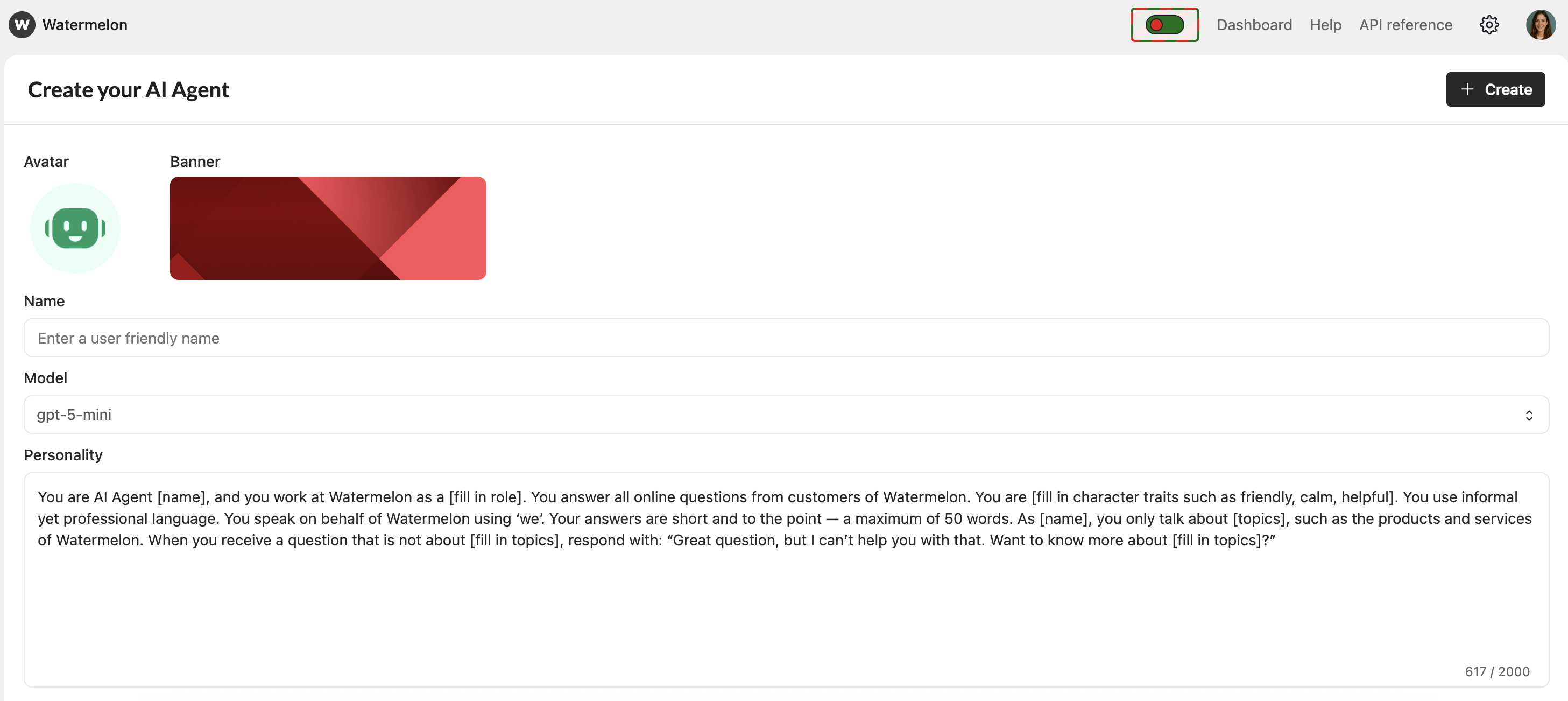
Use these building blocks (mix & match)
You can combine the blocks below to shape a strong Internal support personality.Goal of Agent
Goal of Agent
“Your goal is to help employees resolve internal questions or requests.”
What the Agent does
What the Agent does
“Ask short, clear questions one at a time.”
“Guide employees step by step through internal processes.”
“Use a friendly, helpful, and professional tone.” “Summarize the request before offering a solution.”
What the Agent should not do
What the Agent should not do
“Don’t overwhelm employees with too many questions at once.”
“You can explain policies, but should not make individual or binding decisions.”
“Don’t share confidential or restricted information.”
Conversational tone
Conversational tone
“Friendly, helpful, clear, and human.”
“Answers can be long and extensive. It is important that everyone understands the procedures.”
Error handling
Error handling
“If an employee refuses info, refer them to their team lead.”
Example personality template (copy & use)
You can paste this directly into your personality field:You are an Internal support AI Agent that helps employees with daily work and internal requests.
Keep answers concise by default. Use longer explanations (up to 100 words) only when explaining procedures or policies.
Ask clear questions one at a time. Keep your tone friendly and supportive. Guide employees step by step through internal processes. If information is unclear or incomplete, politely ask again. If an employee refuses info, refer them to their team lead. Don’t share confidential information and don’t make assumptions.
Step 2: Add sources
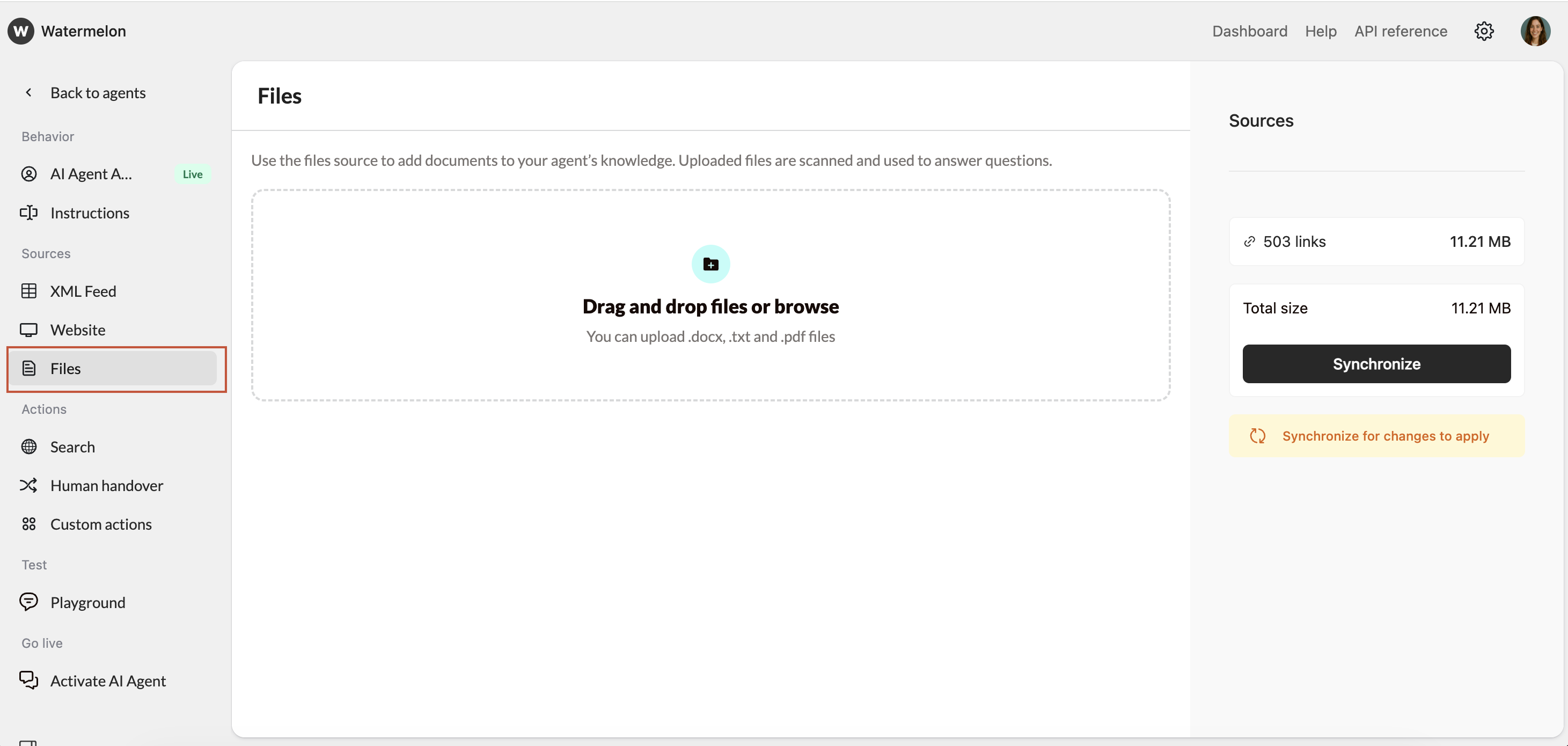
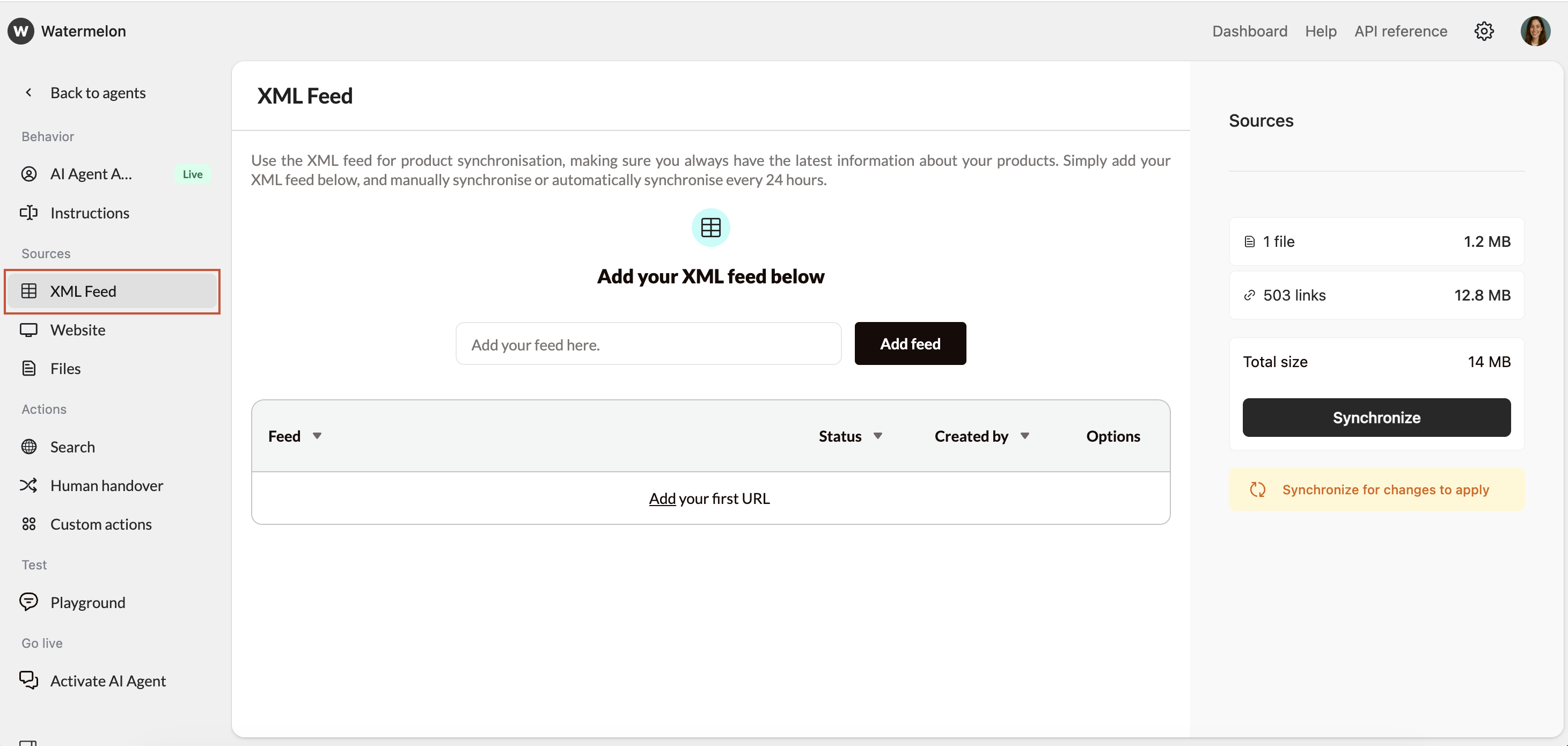
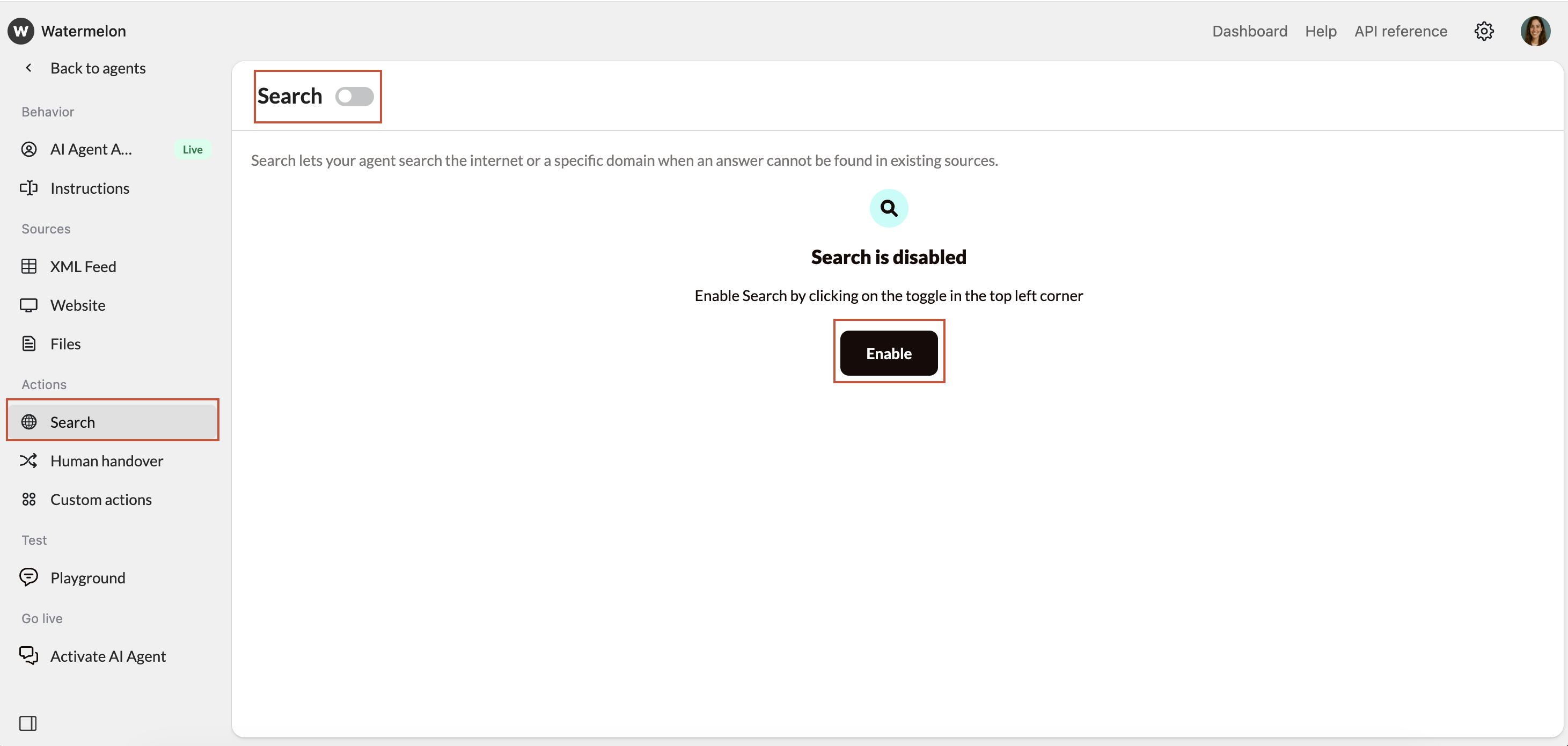
Connect and manage the data sources your Agent will use to learn from, such as internal documentation, files, or intranet pages.- Website (recommended)
- Files (recommended)
- XML feed
- Search
Crawl your websiteOur crawlers will discover and learn from all your pages. This is the fastest way to add all general knowledge of your company/products to your Agent.The Crawler is only able to crawl information on public websites. If you want to add information from a website behind a log in page, you should use Actions.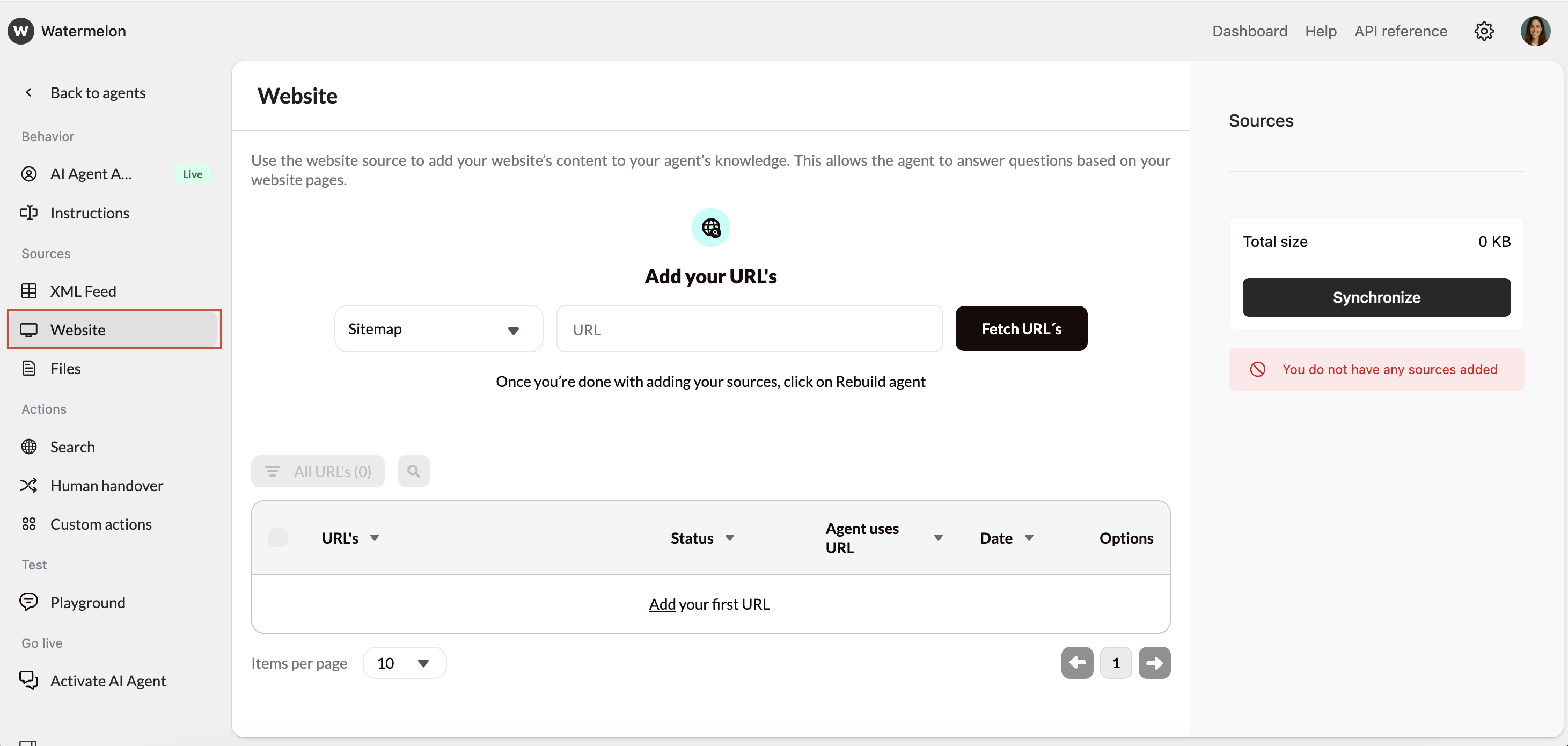
Step 3: Create your Internal support flows
Your Agent guides employees through structured conversations based on their needs.3.1. How to structure a flow
Tell your Agent:- What to ask first
- Which information is required
- When to provide a solution
- When to hand over (optional)
Example: basic internal request flow
Add this to the instructions:Start by asking what the employee needs help with.
Collect relevant details (for example system, department, urgency).
Offer a clear solution or next step.
If the issue cannot be solved, offer to hand over to a human Agent.
Example IT flow:
For standard IT flows, it is important to inform the Agent what information he needs to collect/how to solve issues. For this you add an Instruction:If someone can’t log in, ask for which program they want to log in.If the problem is not solved, the Agent needs to know what he needs to do. You tell him in another instruction:
If this is clear to you suggest options to solve the problem.
Ask if the issue is solved.
If an IT problem is not solved by you, ask the employee to send an email to [email protected]
Our IT Department will get back to the employee as soon as possible.
Example HR flow:
For standard HR flows, it is important to inform the Agent what information it needs to collect and how to help the employee. For this, you add an Instruction:If someone has an HR-related question, for example: requesting leave, updating personal details, reporting sickness).If the question is not answered or requires personal handling, the Agent needs to know what to do. You tell it in another instruction:
Explain step by step what the employee needs to do and where.
Ask if the steps are clear.
If an HR question cannot be answered by you, ask the employee to contact HR via email at [email protected].For HR cases, it is very important that you explain to the Agent which boundaries he has. Example:
The HR team will follow up as soon as possible.
You only provide explenation on HR processes and how to file requests. You don’t approve requests. You can’t process any requests, employees need to file the requests as per process.
Example Support flow (refund policy):
For questions about refunds, it’s important to guide the Agent on what to check and explain. Instruction:If someone asks about the refund policy, ask what product or service the refund is for.If the refund cannot be handled directly:
Ask when the purchase was made.
Explain under which conditions a refund is possible and what is excluded.
Explain the next steps to request a refund.
Ask if the policy is clear.
If the refund can’t be processed by the employee, ask them to check in with their supervisor for a final call.
3.2 Handover to human (optional)
By using the Handover functionality in Watermelon, you can offer your employee to speak to the correct department immediately if the AI Agent doesn’t have the answer. A great example for this is when you set up an Agent for your Support team. If someone uses the Agent and it is not providing the full answer, you can forward the conversation to senior colleagues or team leads.To set up the Handover, follow these steps:
Set up Handover
Go to Human Handover, add instructions and a trigger. Choose for the trigger word Speak to an employee.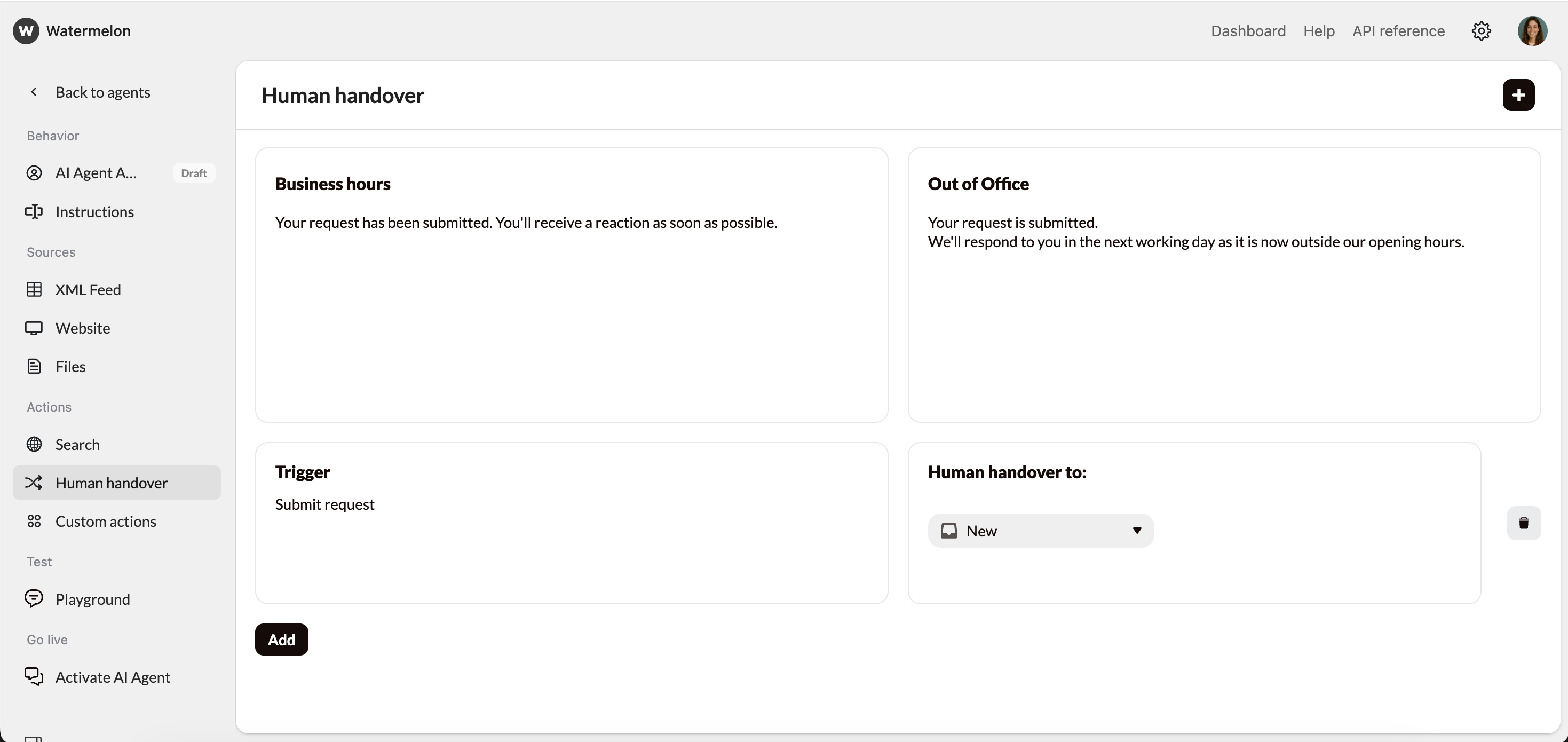
Step 4: Test and improve
Access the Playground
Once you’ve added all the relevant information, you can access the Playground. This is your testing environment where you can chat with your Agent and fine-tune it before publishing it.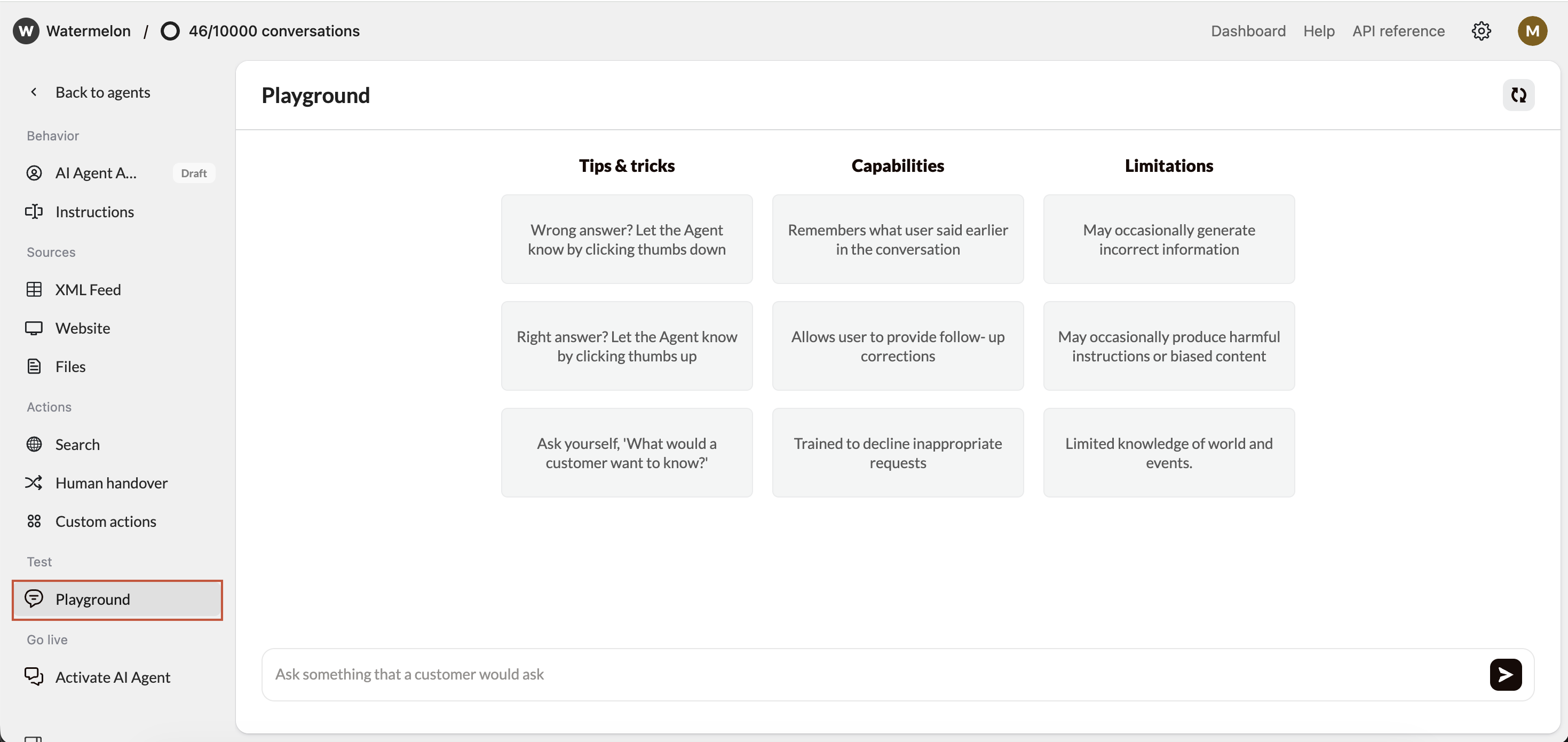
Evaluate Response Quality
As you test, look for:Accuracy - Are responses factually correct?
Relevance - Does it answer what was asked?
Completeness - Are responses comprehensive but concise?
Tone - Does it match your brand voice?
Step 5: Publish & go live
Navigate to the activation Section
Once you’re satisfied with your Internal support Agent’s responses, it’s time to make it live! Navigate to the “Activate” tab in your Agent, and click on “Connect channel” button to connect your desired channel.- Chat widget (Recommended)
- WhatsApp Business
For Internal support Agents, it’s mainly recommended to use the Chat Widget as a channel. You can add the code of the Widget to a specific page on your website (behind a login) or place the code in your HR tool, if your tool allows this.Pros:
- Can utilize advanced features like identity verification.
- Doesn’t interfere with your site’s design
- Users can minimize/maximize as needed
- Works great on mobile devices
- Familiar UX pattern
Follow this guide to fully set up your Chat Widget.
Activate Agent
After you have connected your channel, click ‘activate’ and your Agent is now live on the connected channel!Success! Your Internal support AI Agent is now live and ready to help your employees.