

Why Reproducing Conversations Matters
Reproducing the exact user message in the Playground lets you see what the agent actually used to generate its answer—such as instructions, websites, XML feeds, or files.This makes it much faster to pinpoint whether an issue is caused by:
- unclear or overly broad instructions
- outdated or incorrect sources
- missing or conflicting data
Open the conversation in the Inbox
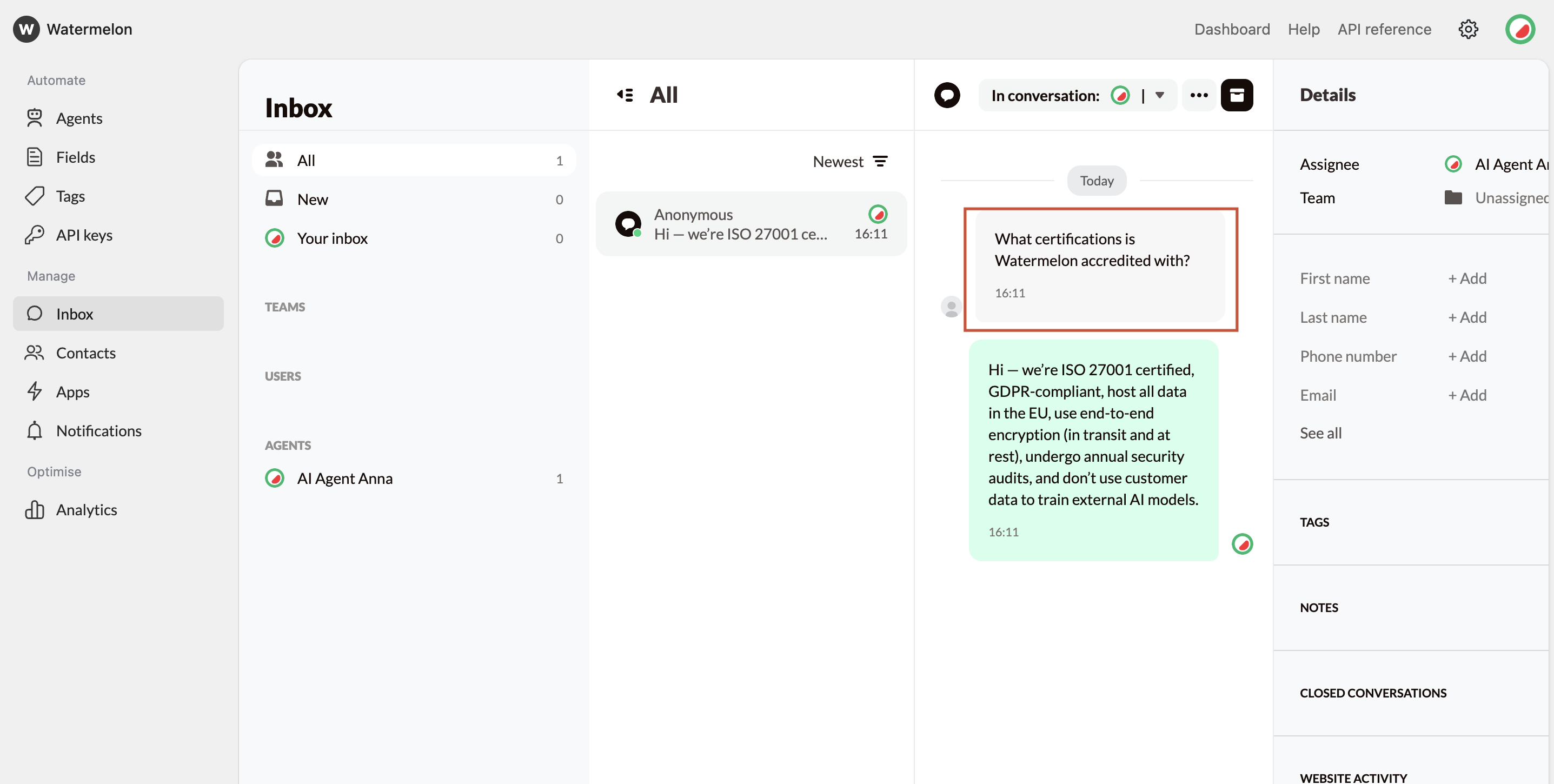
- Navigate to the conversation where the agent’s response did not meet expectations.
- Identify the user message that triggered the response.
- Copy the message exactly as sent.
Reproduce the message in the Playground
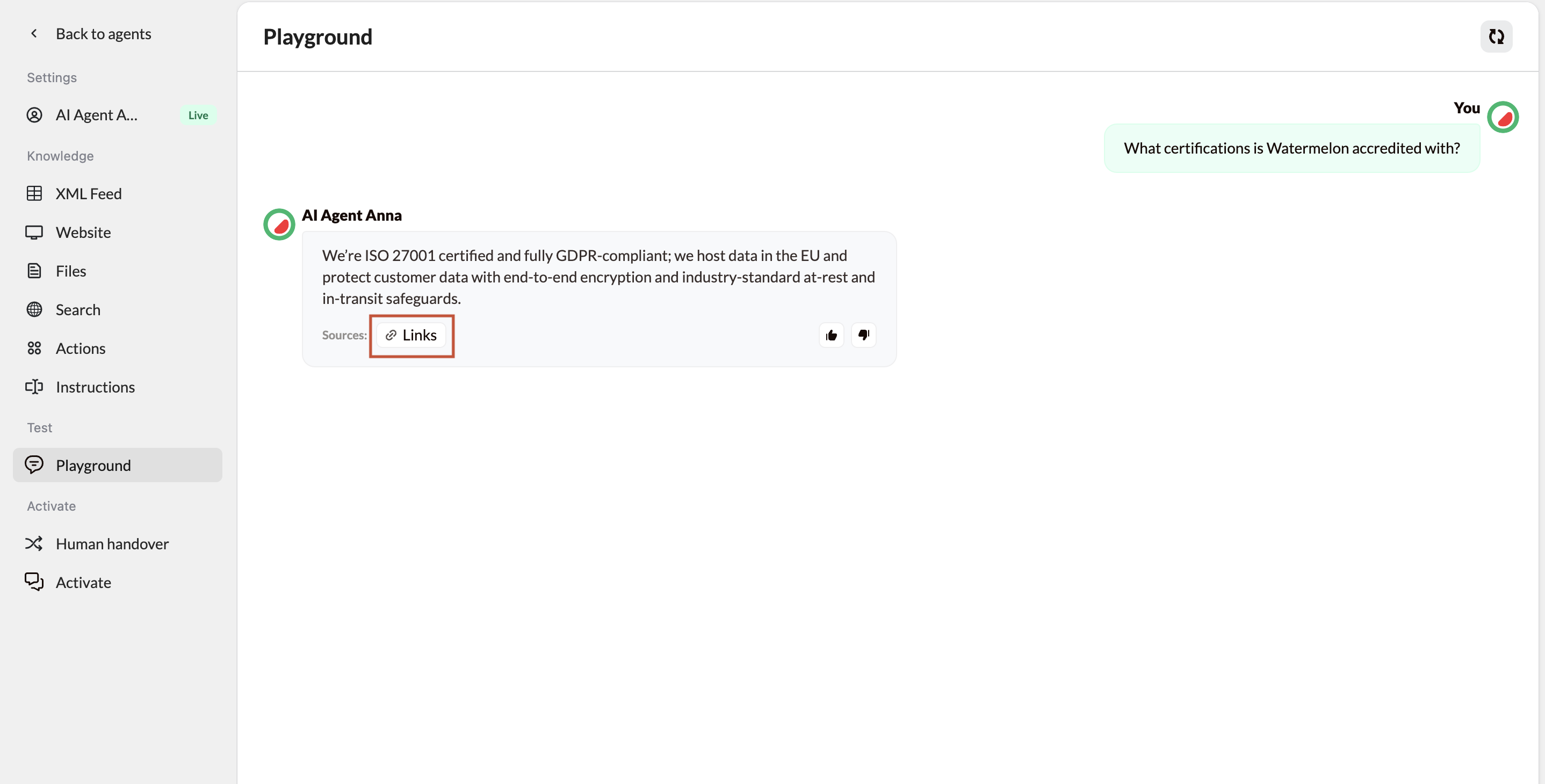
- Open the Playground for the same agent used in the conversation.
- Make sure the agent configuration matches the one that was active when the conversation happened.
- Paste the copied user message into the input field and send it.
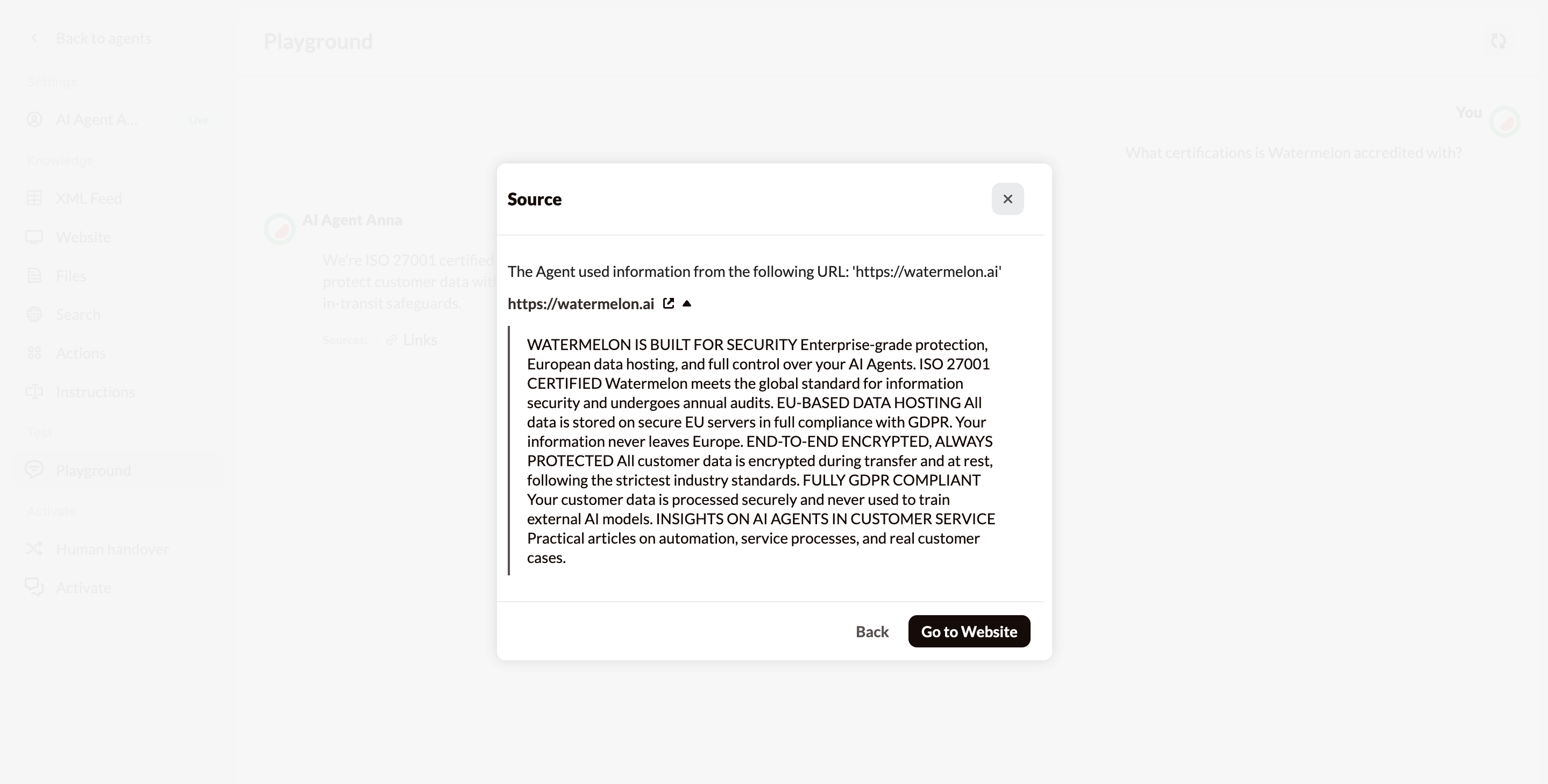
Next Steps: Fix and Confirm
Once you’ve identified the cause:
- Unclear instructions → Edit the agent instructions and make them more specific
- Broken or outdated URLs → Update or remove them, then re-crawl if applicable
- Incorrect XML feed data → Validate the feed and refresh the connection
- Unexpected sources → Remove the source or tighten instructions to restrict usage