

See your plan details
If you have a paid Watermelon account, find all your billing information in Settings navigate to Billing. You can see the available plans here and go to your Billing portal.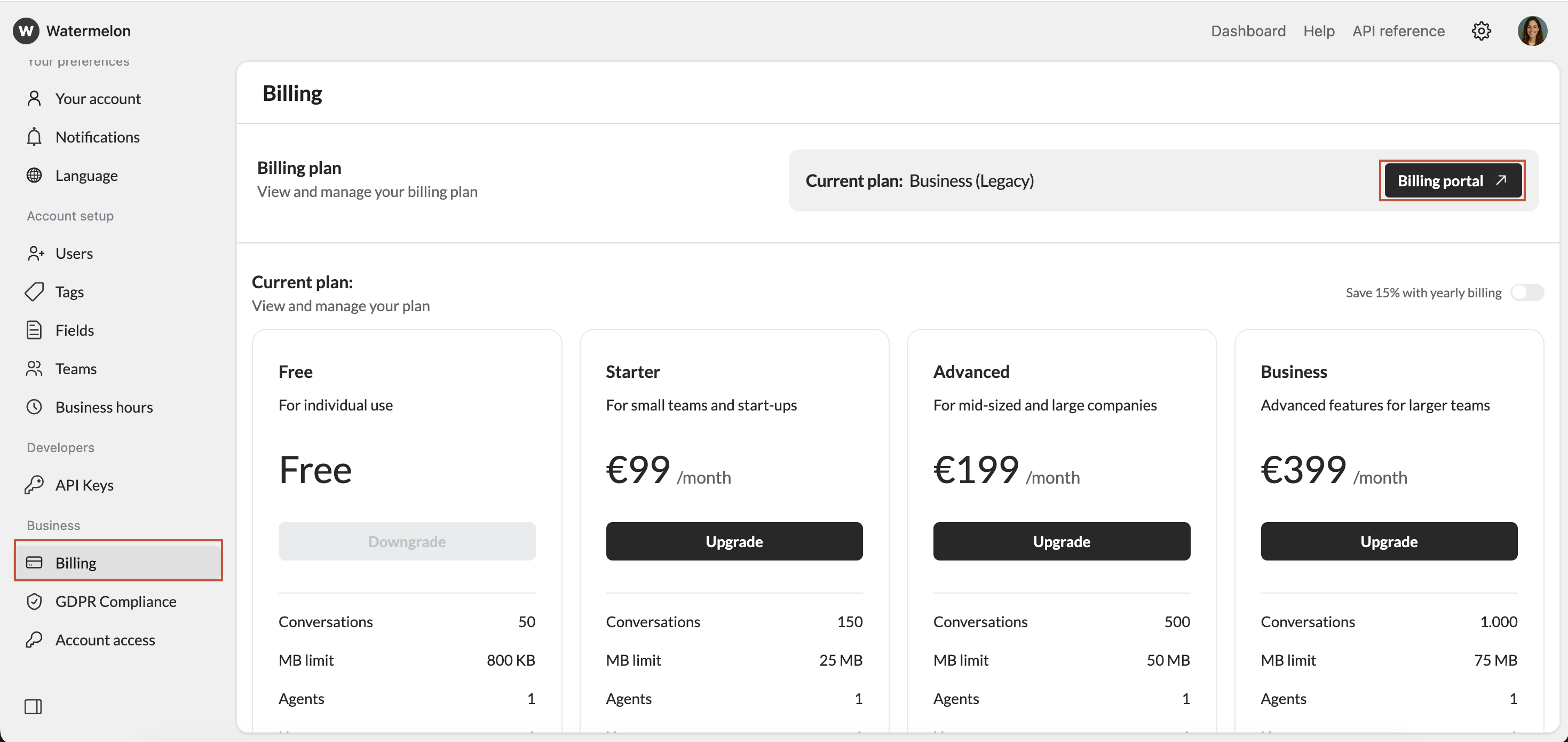
Billing method
You can upgrade to a paid plan using the following payment methods:- Creditcard
- iDeal
- SEPA direct debit
- Paypal
- Bancontact
- Apply pay
- Google pay
- Yearly billing gives you 15% off — equal to 2 months free.
- You’ll automatically be charged each month or year on the date you bought the paid plan.
- For example, a yearly plan bought on May 3 will renew on May 3 next year, and a monthly plan will renew on June 3.
- You can add your company details during the upgrade flow.
- After each successful payment, you will immediately receive an email with the invoice.
We can’t amend issued invoices. Therefore, ensure you add all your billing details correctly before hitting the subscribe button.
Manage your subscription
Everything you need to manage your Watermelon subscription is available in your Billing portal. Here, you can:- Change your plan
- Add a payment method
- Update your billing information
- Download your invoices
Cancel your subscription
- You can cancel your Watermelon subscription anytime by sending an email to our Customer Support team.
- Your cancellation will be effective immediately, and access to Watermelon paid features will stop at the end of the prepaid period (on the last day of your monthly or yearly billing cycle).
Refund policy
We don’t issue refunds for late cancellations or unused time. If you wish to unsubscribe, you must cancel your Watermelon subscription before your prepaid period ends. Click to read more about our refund policy.FAQ
In which currency will I be billed?
In which currency will I be billed?
You will be billed in EUR.
Can I upgrade to higher tier paid plan?
Can I upgrade to higher tier paid plan?
You can upgrade to a higher tier plan by opening your account, click
Menu → Billing and Upgrade plan.If you upgrade your plan in the middle of a billing interval:- The new plan will take effect immediately and you will be charged immediately for the new plan. The amount due will be reduced by a prorated credit based on the time remaining in your current billing period for your current plan.
- Your billing period will remain the same and on the next billing day you will be charged the full rate.
Do you offer free trials?
Do you offer free trials?
Yes we offer free trials. Create a new account and selectFree plan .
Can I change the language of my invoice?
Can I change the language of my invoice?
Stripe (our payment processor) automatically checks customers’ browser settings to determine their default language. If it is supported, the invoice will be presented in that language.