Why allow access?
By giving us access to your account, we can directly assist you with any questions and provide support where needed. This is useful for support inquiries and allows your Customer Success Manager to review your account before a meeting and provide tailored advice during the meeting.How to allow access?
1
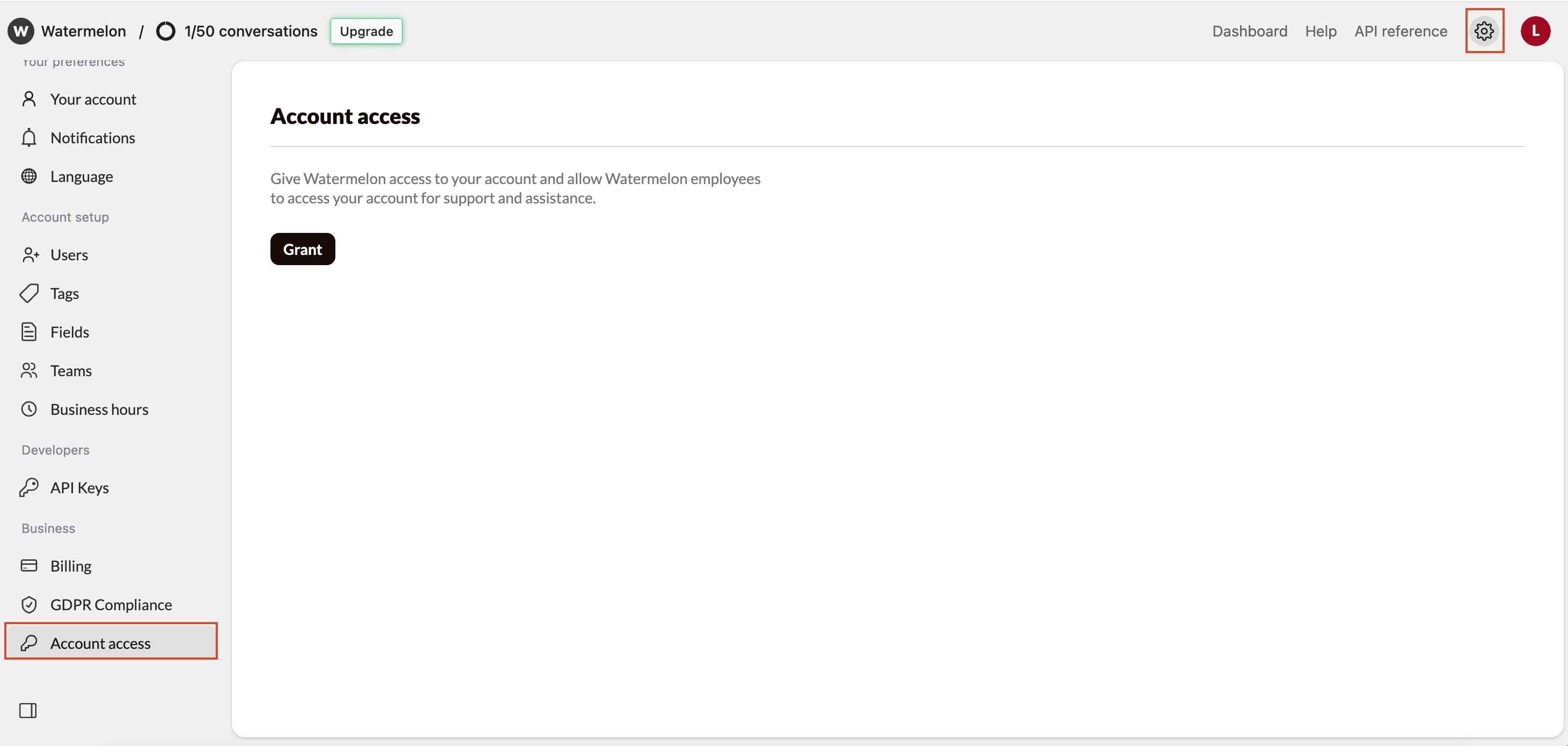
Go to Settings
2
Open Account access
Click Account access to open the access settings.
3
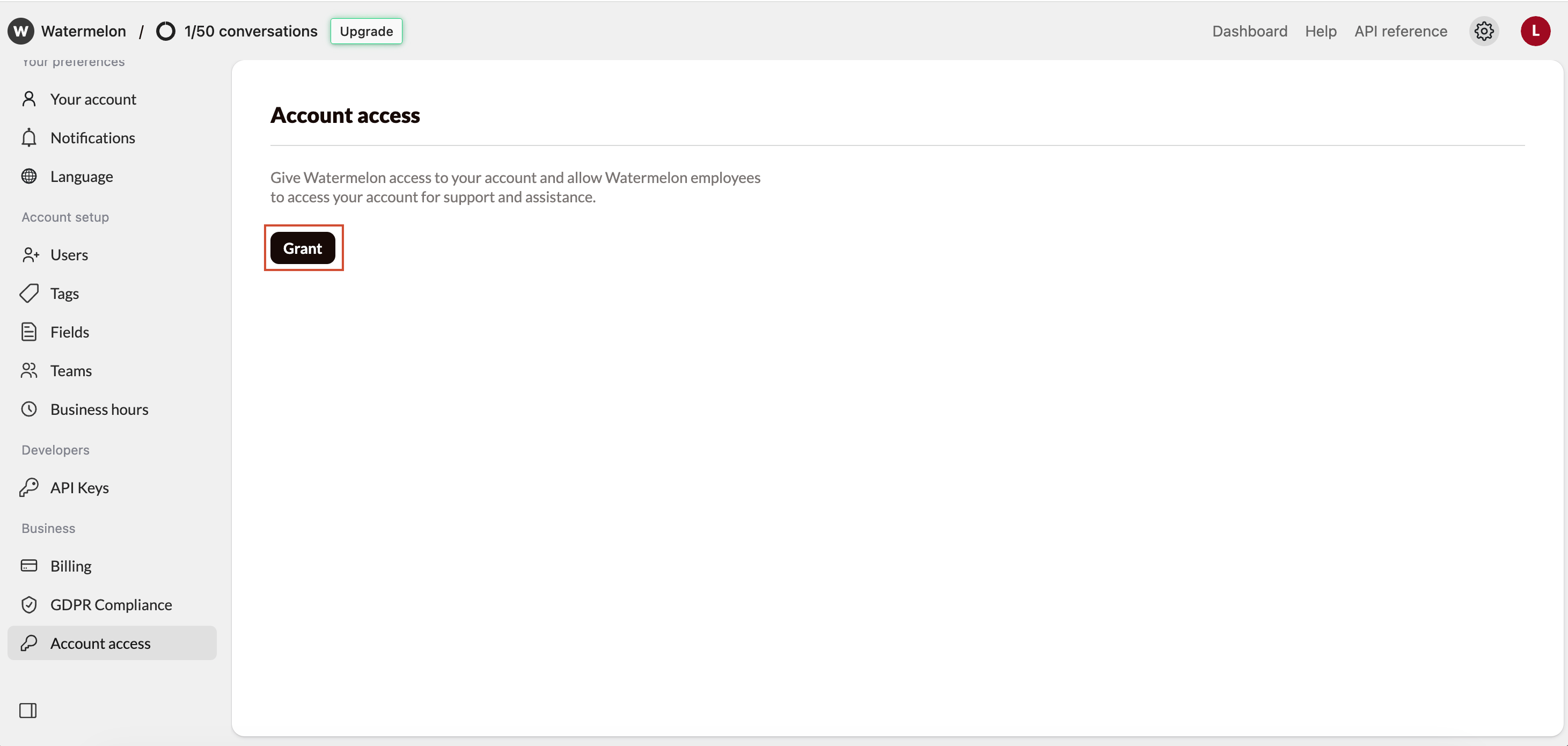
Grant access
Click Grant to allow Watermelon access in your account.

4
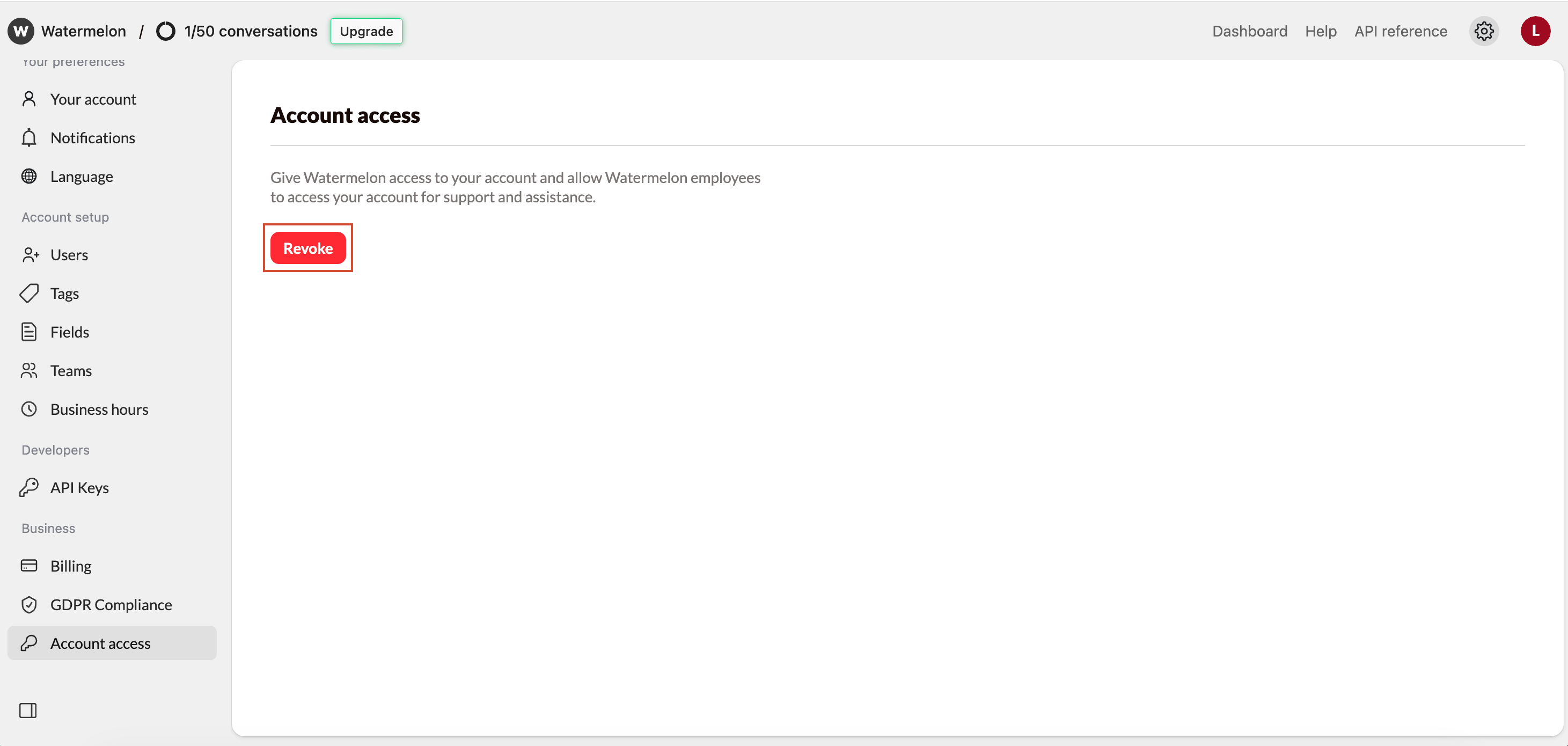
Access granted
Watermelon now has access to your account. You can revoke the access at any time.