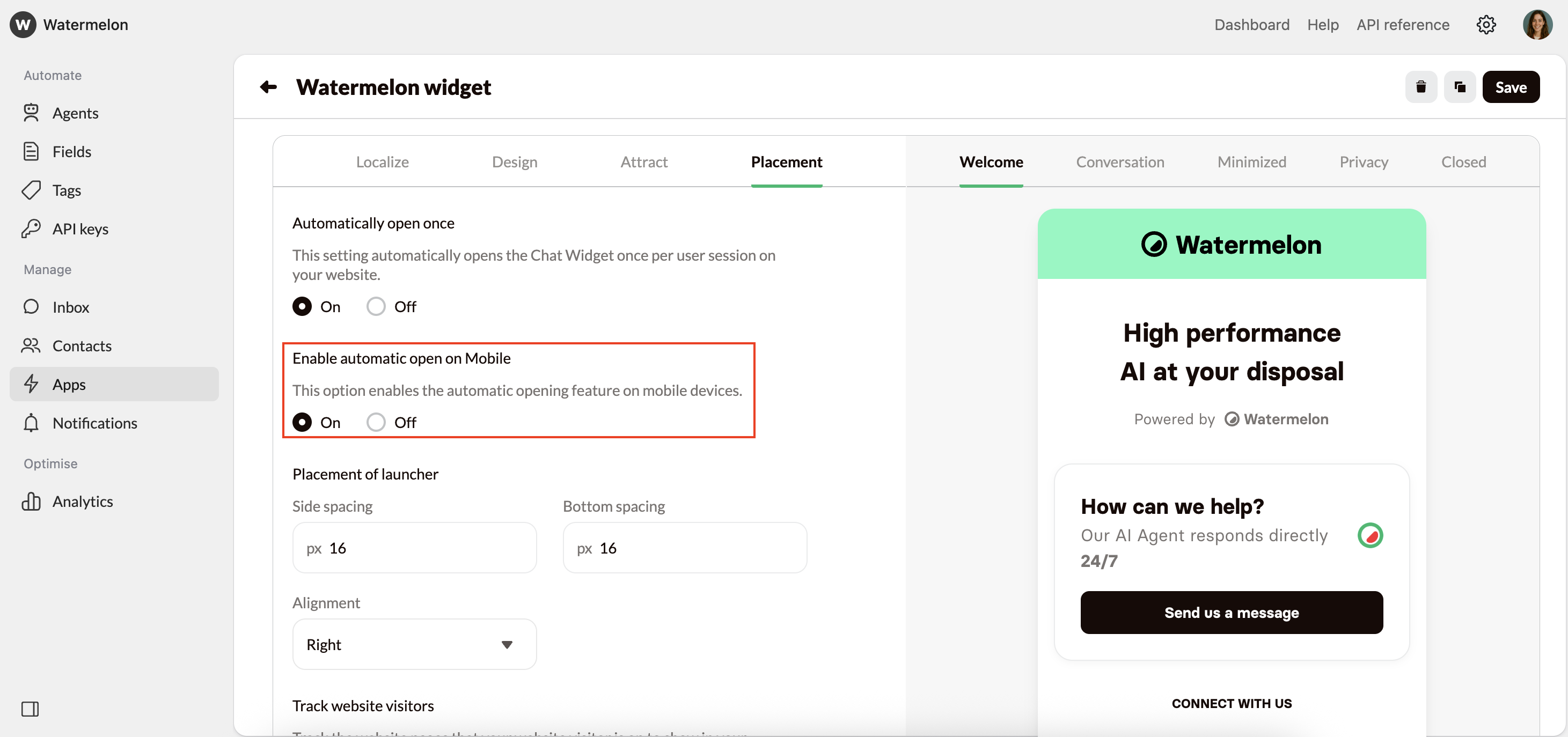
Automatically open the Chat Widget:
Follow the steps below to automatically open de Chat Widget.1
Open Chat Widget Settings
Navigate to Apps and open your Chat Widget.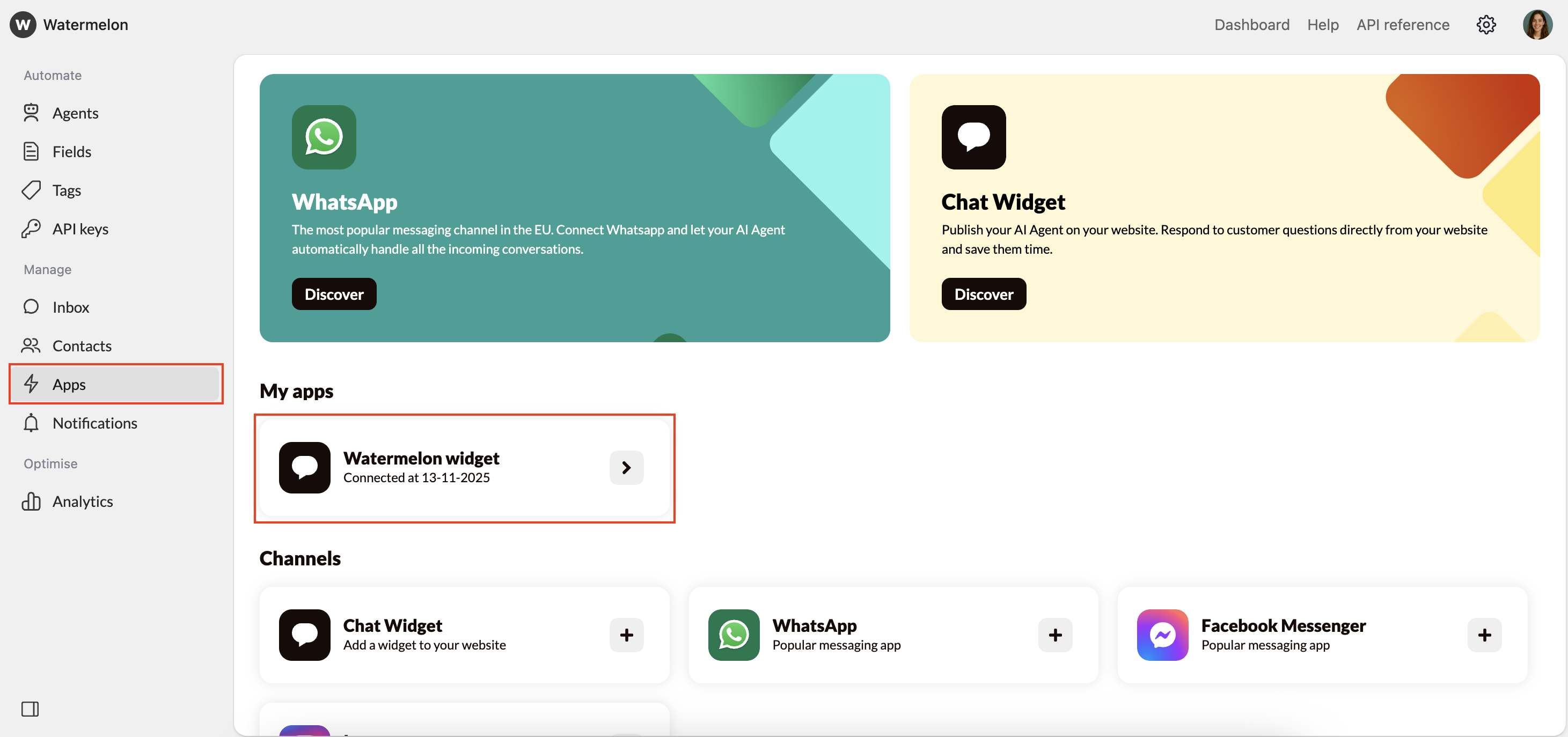
2
Open Placement settings
Go to Placement.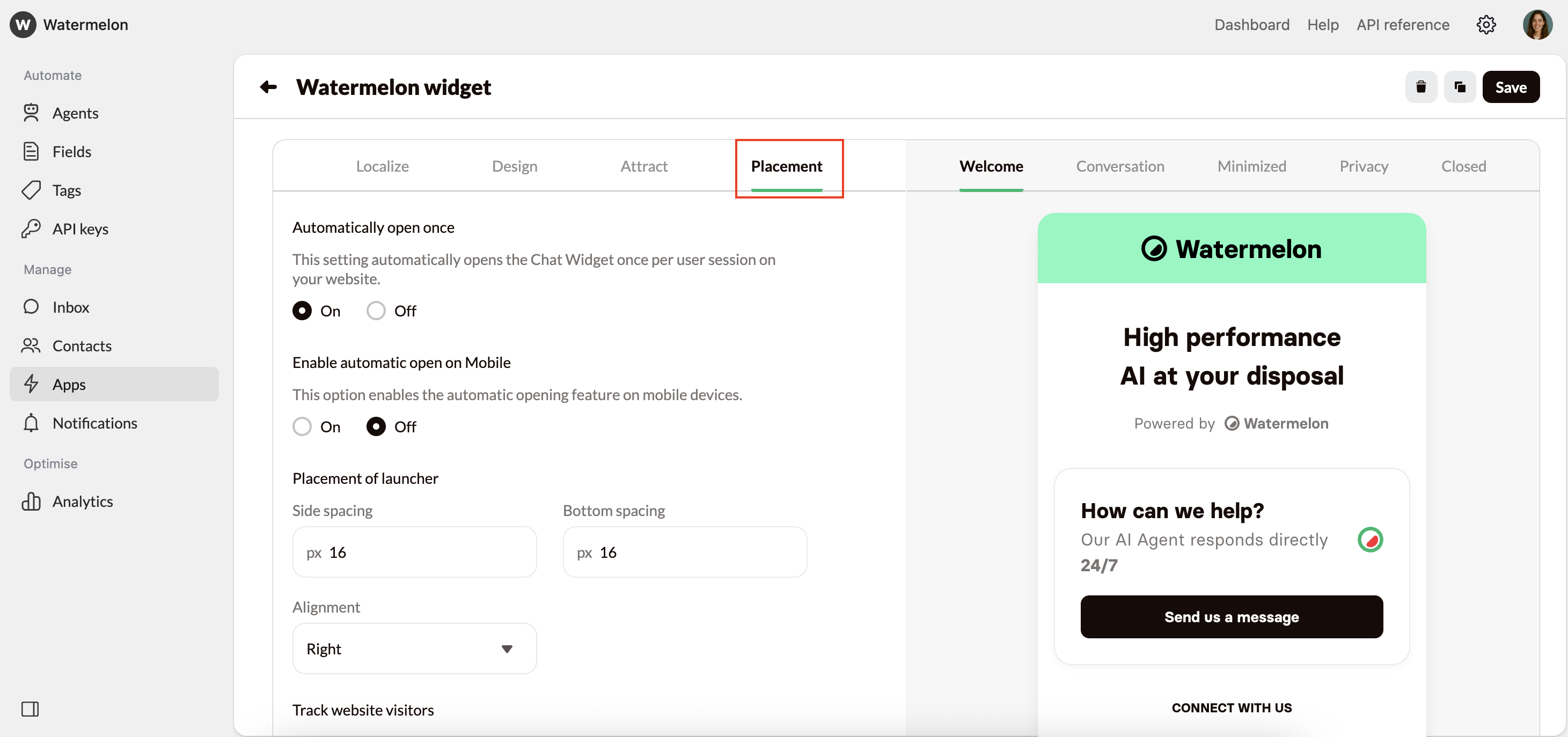
3
Enable automatically open once
Under Automatically open once, select On. The Chat Widget will now open automatically on your website.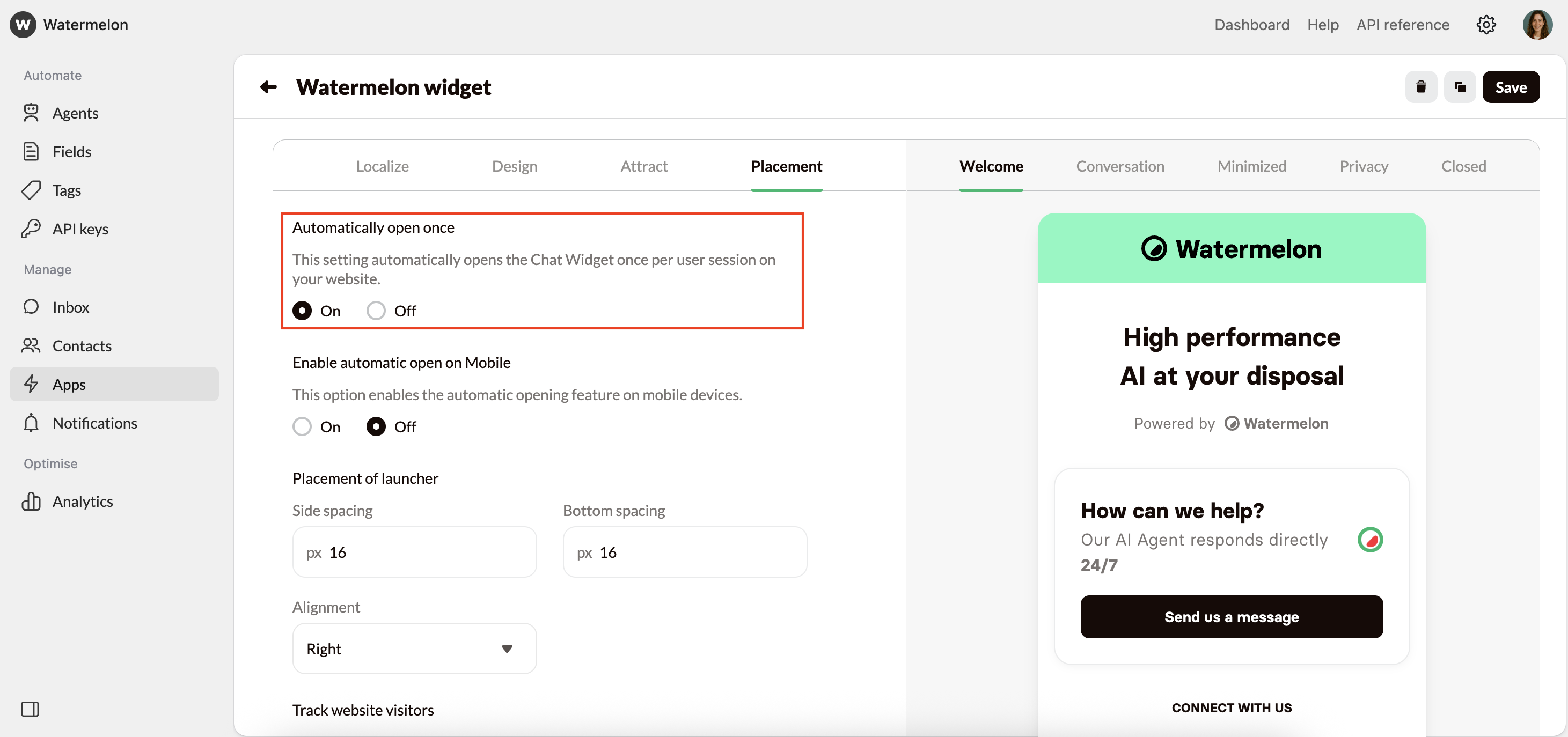
4
Mobile device settings (optional)
You can then choose to enable or disable automatic opening on mobile devices.